Food Truck Local SEO: Google Wants an Address. You Have a Route.
Your commissary isn't a storefront and your hours change daily. How to set up hours, a schedule page, and catering pages so customers find today's stop.

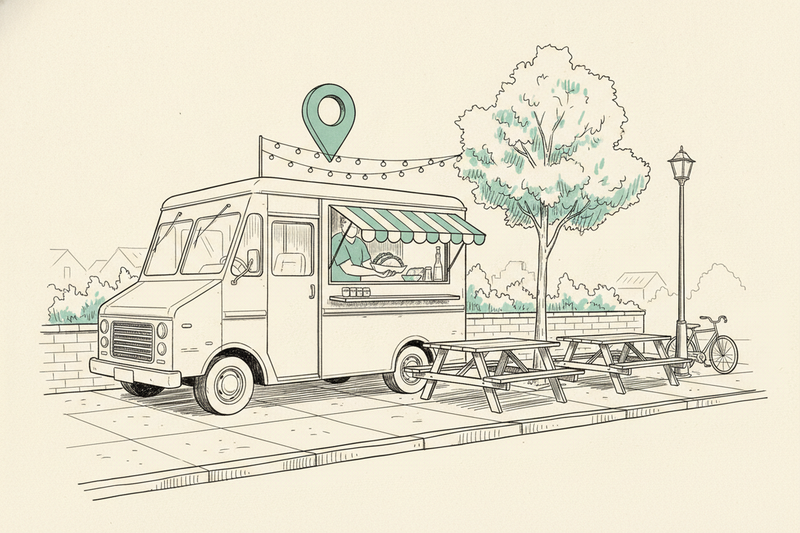
Monday, a brewery patio. Tuesday, an office park. Thursday, a farmers' market two towns over. Google Business Profile wants one address that stays put, and a food truck has a route. Nearly every listing problem truck owners run into comes from forcing the second to look like the first.
This piece covers the parts of food truck local SEO that are specific to trucks: where the commissary fits, what to do with hours that change daily, how to publish a schedule people can trust, and how events and catering fit in. The general settings are covered elsewhere. Local SEO for service-area businesses walks through the service-area setup, and our rule on hiding your address explains when a street address should stay off the profile. If you also run a sit-down restaurant, the restaurant profile playbook is the better fit for that side.
Your commissary isn't your storefront
The commissary is where you prep, where the truck parks overnight, and where the health department inspects you. Nobody orders lunch there. If that address shows on your profile, someone will tap "Directions" at noon and end up at a locked gate in an industrial park.
So the commissary is your base, not your front door. Set the profile up as a business that serves customers where they are, keep the base address hidden, and list the towns where you actually park. Google wants service areas within about two hours' drive of your base, which covers any realistic route.
Two truck-specific traps. First, don't create a separate listing for each regular stop. Google allows one profile per location, and a brewery lot you visit on Fridays isn't your location. Second, don't borrow a host's address to fill a directory field that demands one. If a directory won't accept a business without a public street address, skip it.
Google's guidelines don't carve out a special rule for food trucks, so verification can take a little more work. Keep your permits, your commissary agreement, and a clear view of the truck and its equipment handy in case Google asks for a verification video. For the rest of the profile, the GBP setup checklist catches the fields people forget.
Hours when your hours change every day
Here's the part most truck owners get wrong. Google's guidelines say businesses with varied hours shouldn't list regular hours at all. Leaving them blank feels risky, but a profile that says "Open" while the truck sits at the commissary for a brake job is worse.
Pick the approach that matches your week:
- Fixed pattern, like weekday lunch from 11 to 2 wherever you park: list those hours. They're true even when the spot changes.
- No pattern, with a different window every day: leave regular hours off and let your schedule page carry the times.
- Seasonal truck that shuts down for winter: mark the profile temporarily closed for the off-season, then reopen it in spring. Don't leave summer hours up in January.
Single days off for repairs, weather, or holidays go in special hours, which override the regular week without touching it. Our guide to GBP holiday hours covers how those overrides behave. If you run separate pickup or delivery windows, the More hours field holds those apart from your serving hours.
Put today's stop on a page you control
An Instagram story disappears in a day. A pinned post gets buried. Your own website is the one place a customer can check before they leave the office and trust what they see.
Build a "Find the truck" page
Give it a plain name. For each upcoming stop, list the date, serving hours, venue name, street address or a clear landmark, and a map link. Put today's stop at the top. When a stop gets canceled, mark it canceled instead of quietly deleting it, so the person who saw it yesterday knows not to drive over.
Then check it on your phone, standing outside. Can you see today's location without scrolling past the whole menu? Can you tap the address and get directions? If you take online orders, the pickup stop and pickup time need to be unmistakable before anyone pays.
Update the page on the same day every week, and fix it within the hour when weather or a canceled event changes the plan. One weekly schedule is far easier to keep current than seven separate location pages.
Echo the week on your profile and socials
Every Monday, post the week's route as a Google Business Profile update with a photo of the truck at a stop people will recognize. It puts the schedule where searchers already are. A weekly posting routine keeps that habit from slipping.
On social, film lunch service at a named venue and put the venue in the caption, not only in a story that vanishes. Every post should point back to the schedule page. Social gets people's attention. The schedule page is where they confirm it.
Events and catering are the part that doesn't move
For a lot of trucks, catering is the steadiest income, and it's also the easiest part of the business to find on Google, because it doesn't depend on where you're parked. Add catering as a service on your profile, then build a catering page on your site with the event types you take, your minimums, how far you'll travel, and one simple inquiry form. That page can rank and earn leads all year, even in the weeks your route is a mess.
Recurring stops work the same way. When a brewery or market hosts you on a regular night, ask them to list your truck by name, with a link, on their events page. Their page already has an audience, and it gives customers a second place to confirm the plan. When the arrangement ends, ask them to take the listing down. A page advertising last spring's visits sends people to an empty lot.
For your own site, a page about a regular stop earns its place when you return often and have something useful to say: the usual night, where the truck parks, how pickup works, and a few real photos from there. Twenty copied pages with the town name swapped won't help anyone find lunch. Location pages vs service pages explains the difference between the two kinds.
Be careful with structured data
Structured data is code on a web page that helps search engines read details like your business name and address. It isn't a shortcut into Google Maps. Google's local-business format expects a postal address, and a truck doesn't have one customers can visit.
Don't write a brewery's address into your markup because you're there on Fridays. Keep the visible page and any markup in agreement, and if you don't have what a format requires, leave that format out. A correct schedule page beats a clever technical error.
Reviews happen at the window
The best moment to ask is when someone's holding the food and smiling. Put a QR code on the serving window or the napkin dispenser that opens your review link. Our guide to review QR codes covers placement, and the broader playbook for getting more Google reviews covers the rest. Ask for an honest review, not a five-star one, and never trade a discount for it.
What to check each week
Search your truck's name, then your food type plus your city, from a couple of spots on your route. Results shift with the searcher's location, so one check from across town won't tell the whole story. Confirm the profile shows the right hours, the website link works, and this week's update is live.
This is the unglamorous side of food truck marketing, and it's the side that tells you what's working. Watch direction requests, calls, online orders, and visits to the schedule page. Ask a few regulars how they found you. If people keep showing up at last week's stop, the schedule isn't easy enough to find, and that's a fix you can make today.
If you'd rather hand off the ongoing profile work, that's what Curve does. You still have to supply the route, since nobody else knows when the truck leaves the commissary.
Key takeaways
- Keep the commissary address hidden and list the towns you actually park in. One profile, not one per stop.
- If your hours vary day to day, leave regular hours off and let the schedule page carry the times.
- Publish one mobile-friendly schedule page and treat it as the single source for today's stop.
- Build catering and regular-stop pages. They're the parts of the business that don't move.
Questions food truck owners ask
What if I also have a restaurant or a permanent stand?
Then the permanent spot is a real customer-facing location, and it can show its address while the truck serves the surrounding area. That's a hybrid setup with its own rules. Our guide to hybrid profiles explains when to show both the storefront and the service area.
Should my profile's website link go to my homepage or the schedule page?
Send it to the schedule page. People who tap the website button from your profile are almost always asking one question: where are you right now? Make the answer the first thing they see, and keep the menu and catering links one tap away from there.
Are food truck finder apps worth listing on?
They're worth a few minutes if they're popular in your city, and they can put you in front of people who don't know you yet. Keep the name, phone number, and website identical to your profile, and don't treat any app as your schedule. If the app and your page disagree, your page should be the one that's right.