
Mobile Notary SEO: Win the Last-Minute Closing
The escrow officer has a closing tomorrow and no notary. Here's how to be the name she finds on Google Maps, and the one her office keeps calling.

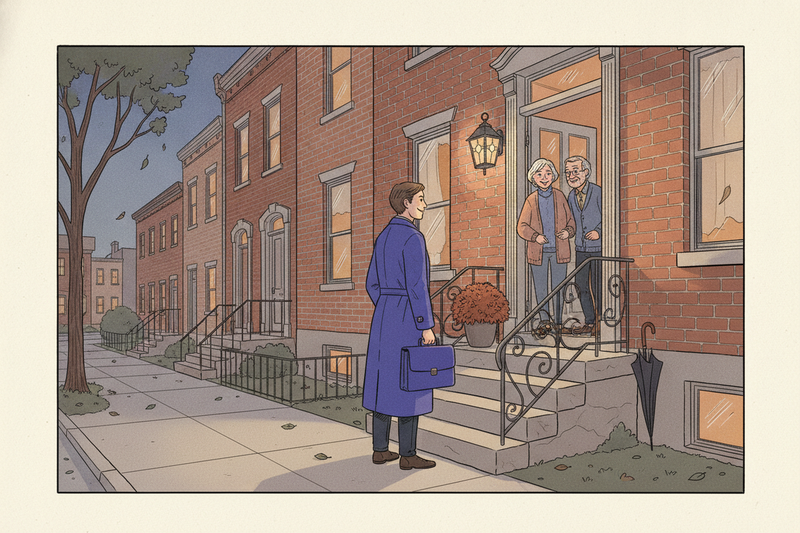
The closing package lands in the escrow officer's inbox late on a Thursday. The buyers have to sign tomorrow, the notary who was booked just cancelled, and nobody on the title company's usual list is picking up. So she opens Google Maps, types "mobile notary near me," and starts calling from the top.
This article is about that call: the last-minute loan signing, and the title and escrow offices that hand those signings out week after week. It won't re-teach service-area profile setup. If your profile still shows your home address or your coverage area has gone missing, start with our guide to local SEO for service area businesses and the service area fix, then come back.
Two people are looking for you, and they want different things
The rush search comes from two directions. One is the borrower, the adult child sorting out a parent's paperwork, or the seller who has already moved three states away. They search on a phone, call the first notary who looks close and credible, and hang up if nobody answers.
The other is the escrow officer, title processor, or loan officer. They'll look at the same Maps listing, but they're judging something else: whether you'll show up on time, print the package correctly, and get the scanbacks in before the lender's cutoff. One bad signing can cost them a funding date, so they check you harder than any borrower would.
Your listing has to answer both people in a few seconds. Most notary profiles answer neither.
Make the profile answer the rush question
Google ranks local results on relevance, distance, and prominence. You cannot move your house closer to the title office, so put your effort into the parts a stressed caller actually reads.
- Category: Notary public as the primary. If the category picker offers something closer to loan signings, add it as a secondary. If it doesn't, list loan signings as a service instead.
- Services: name each kind of signing you do, such as refinances, purchases, seller packages, reverse mortgages, powers of attorney, and hospital or care-facility visits. List only work your commission and training cover.
- Hours: publish the hours you'll actually answer the phone. "Open 24 hours" on a profile you check twice a day loses the call and earns the one-star review.
- Service area: the towns and ZIP codes you'll drive to on short notice, not every county you've ever visited.
- Photos: you at a kitchen table with your signing bag, your printer setup, your car. Never a close-up of anyone's documents.
That's the notary layer. For the full walkthrough, use the Google Business Profile checklist. If you also meet signers at an office or a rented room, read when a hybrid profile makes sense before you touch the address settings.
Answer like the closing depends on it
It does. The last-minute caller isn't comparing five notaries. They're working down a list, and the first one who picks up and gives a straight answer gets the job.
Keep your intake to five questions, asked in the same order every time:
- Where's the signing, and when does it need to happen?
- Is it a loan package, and who's sending the documents?
- How many signers, and do they all have current ID?
- Will you print, or is someone handing you a printed package?
- Is there a scanback or overnight return deadline?
Then quote the visit in two parts: the notarial fee and the travel or printing fee. Many states cap what a notary can charge per notarial act, and some regulate travel fees too, so check your commissioning state's rules before you put numbers on your website. Spell out after-hours terms in plain words so nobody is surprised at the door.
Two more habits protect you. Don't ask anyone to text you loan documents or photos of their ID before you have a secure way to receive them. And don't explain what a document means. Unless you're also an attorney, that can cross into legal advice. Showing a signer where to sign isn't the same as telling them whether they should.
Missed calls are the quiet leak. If you can't pick up during a signing, record a voicemail that says when you'll call back, then call back within the hour. The escrow officer won't wait for you.
Win the title and escrow offices, not just the map
The borrower who finds you once is one job. The escrow officer who saves your number is a job a week. Referral work is where a mobile notary business gets steady, and your search presence is how those offices decide whether to try you.
When a title processor looks you up, they want proof you're a safe pair of hands. Put it on one page of your website, linked from your Google profile:
- Your commissioning state and commission expiration date
- Errors and omissions coverage, and the amount
- Background screening and any signing agent certification you hold. Many title companies and signing services ask for both before they'll send a first file.
- Your coverage area and how much notice you need
- Printing capacity (a dual-tray laser printer that handles legal size) and how you handle scanbacks and overnight returns
- Remote online notarization, only if your state authorizes it and you're commissioned for it
Then make it easy for them to come back. After a clean signing, send the escrow officer a short note with your direct number and your availability for the next week. Ask whether their office keeps a preferred notary list and how to get on it. It's a plain question, and few notaries bother to ask it.
Loan files aren't the only referral line. Estate planning offices need wills, trusts, and powers of attorney signed, often at a hospital bed or a kitchen table. Those firms are working their own Maps listings (we covered their side in estate planning attorney SEO), and a notary who reliably shows up for their clients is worth a lot to them. Real estate agents are a third line. A seller who has moved away still needs a notary near the new address, and the agents fighting for their own block remember who made a closing easy.
Build pages for each kind of signing, not each town
Your website does two jobs. It tells the rush caller what you do and how to book, and it gives the referral office something to check before they hand you a file.
Start with a homepage that says where you travel, what you notarize, and when you're available, with a tappable phone number at the top. Then give each kind of signing its own page if it needs a different explanation: loan signings, hospital and care-facility visits, after-hours and weekend appointments, and remote online notarization if you're authorized for it.
Skip the 30 near-identical city pages. One strong coverage page beats a stack of copies with the town name swapped. Our service area page template shows what goes on it.
Some states also regulate how notaries advertise, including required disclaimer wording and rules for ads in languages other than English. Check your state's notary handbook before you publish.
Reviews that don't give away the signing
Ask for a review within a day of the signing, while the borrower still remembers you showed up early with a pen that works. Send the direct review link from your profile (Google explains how to share it) and keep the ask short. For wording, borrow from our review request templates. For the bigger system, see how to get more Google reviews.
The notary rule is privacy. When you reply, don't mention the document type, the loan, the property, or the address. "Thanks, it was good to meet you" is plenty. Public proof of good service should never turn into public disclosure of someone's signing.
Don't offer discounts for reviews or ask only the signers you think were happy. Both break Google's review policies.
Count confirmed signings, not profile views
Your profile's Performance report shows searches, website clicks, and taps on the call button. A tap isn't a booked signing. Neither is a higher spot on the map.
Keep a lead log instead. One row per inquiry: where it came from (Maps, your website, a title office, a signing service, a past client), what kind of signing, whether you booked it, and what you earned after travel and printing. Log missed calls too.
After 90 days you'll know which source pays. If title offices bring more profitable work than the map does, put your time there. Our guide to measuring local SEO returns turns that log into a number you can act on.
Three questions the rest of this doesn't answer
Can I put "mobile notary" in my Google business name?
Only if it's part of the name you actually do business under, the one on your registration, invoices, and website. Google's guidelines ask for your real-world name, and stuffing service words or town names into it can get a profile suspended. Put "mobile notary" and "loan signings" in your services and description instead.
Does remote online notarization help my Maps ranking?
Not directly. Maps results turn on the searcher's location and the area you serve. A remote notarization page can still pick up website searches from people who don't need you in person, but whether you can offer it, and to whom, depends on your commissioning state. Check before you advertise it.
Is the mobile notary market too crowded to bother?
A crowded map doesn't tell you whether profitable work is left. Look at the signings that are hard to fill: evenings, weekends, hospitals, care facilities, and same-day loan packages inside your coverage area. Then subtract travel time, printing, and supplies. A full calendar with thin margins is a tiring side hustle. A short list of title offices that call you first is a business.
Key takeaways
- Two people find you: the stressed signer and the office that hands out signings. Build for both.
- Publish hours you'll answer, services you're authorized for, and a coverage area you'll actually drive.
- Answer fast, quote notarial and travel fees separately, and keep signer details out of every review reply.
- Track booked signings by source, and put your time where the profitable ones come from.
If you'd rather have someone else keep the profile, the pages, and the review asks moving every week, that's the work Curve does.