
Driving School SEO: Fill Every Seat in the Next Permit Class
Teen demand runs on birthdays, not semesters. How driving schools get found on Google, show the next open seat and the full price, and count seats sold instead of clicks.

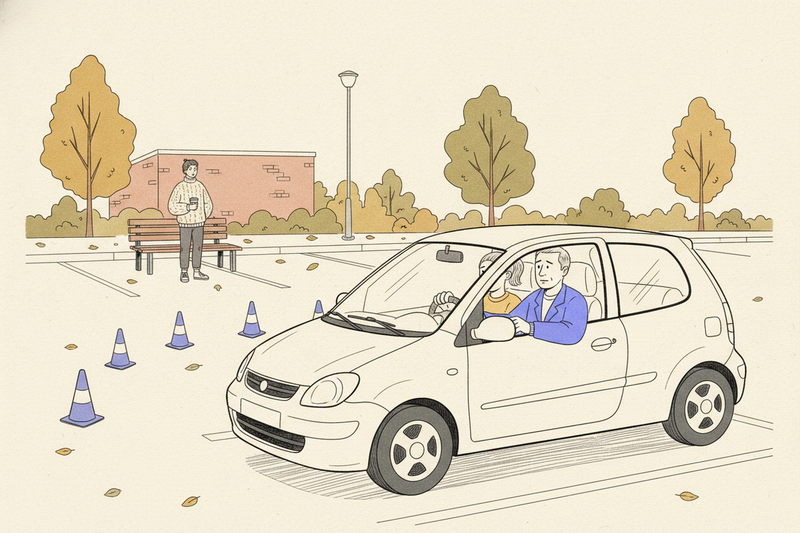
Count the empty seats in your next teen class. Each one is a family nearby that hasn't found you yet, or found you and couldn't tell when the class starts, what it costs, or whether you pick up in their part of town. "Driving school near me" is searched roughly 300,000 times a month in the US. The schools that fill their seats are the ones that answer those three questions before anyone has to call.
This guide is for schools selling seats in permit courses, adult lessons, and defensive driving classes. If your customer is a parent choosing childcare, our daycare SEO guide covers that search. If you sell a trial class and then a monthly membership, martial arts SEO is the closer fit. A driving school sells something different: a fixed number of seats, a start date, and a student who'll be finished in a few weeks.
Your busy season is a birthday, not a semester
Teens can apply for a learner's permit once they reach their state's minimum age, and that age varies by state. Birthdays do not cluster in June, so demand for teen courses runs all year, with bumps around school breaks and summer. Adult beginners, people new to the country, and drivers sent to a defensive driving class show up on their own schedule too.
That changes how your website should work. Publish class dates two or three months ahead, so a parent planning around a birthday or spring break can see them. Keep each course page live between sessions instead of pulling it down when a class fills. A parent who bookmarked it shouldn't land on a dead page.
Write down the months your classes filled fastest last year, and the months they didn't. That list is your marketing calendar. The slow months are where ads and outreach earn their keep.
Get the listing right, then keep it accurate
Your Google Business Profile is the first thing most parents see. Pick "Driving school" as the primary category. Use the name on your sign and your paperwork. Keep hours, phone, and the website link correct, and update holiday hours before the holiday, not after. Our profile checklist covers the rest of the setup field by field.
The address is where driving schools get tripped up. If students come to a classroom, show that address. If instructors pick students up at home and nobody visits your office, set the profile up as a service-area business and hide the address. Listing twenty towns won't override distance, which Google weighs alongside relevance and prominence, as it explains in its ranking help page. Our guide to local SEO for service-area businesses walks through that setup.
Add real photos of your cars, your classroom, and your instructors, with their permission. A nervous parent wants to see the car their kid will be sitting in. Stock photos don't show them that.
One page per course, with the rules spelled out
A single "Our programs" page makes parents hunt. Give each course its own page: teen driver education, adult lessons, defensive driving, and road test prep if you offer it. Each page should answer the questions a parent would otherwise call about:
- Who's eligible, including the minimum age and whether a learner's permit comes first
- How many classroom hours and behind-the-wheel hours the course includes
- The full price, and what it covers
- The next start dates and how many seats are left
- Where pickup and drop-off happen
- Which documents to bring, and what happens after the course ends
Licensing rules vary by state, and they change. Name the state agency that approves your course and link to its page rather than paraphrasing the requirements. Check your pages whenever the agency updates its rules. And don't suggest a defensive driving class will dismiss a ticket or lower an insurance bill unless the court or insurer has said so in writing.
Put the course and the town in the page title and main heading, then write naturally. You do not need the town in every paragraph. Our local keyword research guide shows how to find the words families actually type, which may be "driving lessons" or "driver's ed" rather than "driver education program."
If you teach nervous drivers or students who need lessons paced differently, say so plainly and give one concrete example of how a lesson changes for them. Extra time in an empty parking lot before the first highway drive is the kind of detail a worried parent is looking for.
Show the next open seat and the full price
A parent who finds you after work doesn't want to leave a voicemail and wait two days. Open your own course page on a phone. Within one scroll, they should see the next start date, the price, the pickup area, and a button to book. If any of those is missing, that's your first fix.
Connect online booking to your instructors' real calendars so you never sell the same Saturday slot twice. Send a confirmation with the meeting point and the documents to bring, a reminder the day before, and a simple way to reschedule. Then put the booking link on your Google profile as well. Here's how to set up the GBP booking link so people actually use it.
Show the total cost before checkout, including any deposit, fees, and cancellation terms. If you offer a payment plan, list the dates and amounts. A surprise at checkout doesn't read as flexibility. It reads as a bait and switch.
Test the whole path yourself once a month. Book a lesson, read the confirmation, and try to reschedule it. A form that drops into an inbox nobody checks is not a booking system.
Reviews from students and their parents
Reviews do two jobs. Google says more reviews and positive ratings can help local ranking, and parents read them before trusting you with their kid. Ask everyone who finishes a course, not only the students who passed the road test. Send a direct link, follow up once, and never write the review for them or ask them to mention a town or a keyword. The full request process is in how to get more Google reviews.
Two things are specific to driving schools. Many of your students are minors, so ask the parent to leave the review, or get the parent's OK before you ask the student. And when you reply, never mention a student's test result, mistakes in the car, or anything else private. Keep discounts and free lessons well away from review requests, too. Google's policy on fake engagement doesn't leave room for incentives.
Spend ad money on specific empty seats
Ads fill gaps fast, and they stop the day you stop paying. Give them a defined job: a class starting in three weeks with six open seats, or a slow month you already know is coming from last year's calendar.
Google Ads reaches people already searching for lessons. Facebook and Instagram ads reach nearby parents before they search. Radio and billboards buy awareness, which is fine, but it's hard to tie awareness to a booking. Whatever you run, point it at the course page with open dates, and turn it off when the class fills.
Then there's the cheapest channel of all. High school counselors, parent-teacher groups, and community centers send families who already trust the person who referred them. A mention on a school's resource page is also a link from a site that matters locally, which beats a pile of unrelated directory listings.
Count seats sold, class by class
Rankings and website visits are worth a glance, but the number that matters is seats sold per class. Track every inquiry by course and by source: Google profile, website, ads, referral, or word of mouth. A tap on your phone number is not an enrollment, so match inquiries against your booking records each month.
To see which visits come from your Google profile, add UTM tags to the profile's website link. To count completed booking forms in Google Analytics, track them as key events.
Then do one piece of math per channel: spend divided by paid enrollments. Compare that with what's left from a seat after instructor time, fuel, and the car. A full class can still lose money if each seat cost too much to sell.
Compare like with like. A spring-break rush is not proof your SEO got better. Compare this March with last March.
Key takeaways
- Plan marketing around permit birthdays and school breaks, not one summer rush.
- Give each course its own page with eligibility, hours, price, dates, and pickup area.
- Make the next open seat bookable from a phone within one scroll.
- Measure seats sold per class and cost per enrollment, not traffic.
FAQ
Can I use the DMV office or road test site as my address?
No. Your profile address has to be a place your business actually operates and staffs, not a government building where your students take their test. If you don't have a classroom students visit, use the service-area setup instead. Google's guidelines for business profiles spell out what counts.
Can my online defensive driving course get its own Google profile?
No. Google doesn't allow profiles for online-only businesses. List the online course as a service on your main profile and give it a dedicated page on your website. That page is what should show up when someone searches for an online course in your state.
Should I add "state-approved" to my business name on Google?
No. Your profile name should match the name on your sign and paperwork, with no extra keywords or descriptors. Stuffing the name can get a profile suspended. Put the approval on your course pages instead, and name the agency that granted it.
Start with the class you need to fill
Pick one course with open seats. Fix its listing details, its page, its booking path, and its review requests. Then follow those inquiries through to paid enrollments and see what moved.
Curve handles the ongoing profile, review, and reporting work for local businesses, so owners can spend their time teaching people to drive.