Hybrid Google Business Profile: When to Show Both Storefront and Service Area
If your business has both a real storefront customers visit AND a service area where you travel, here's how to set up the hybrid GBP without bleeding calls.

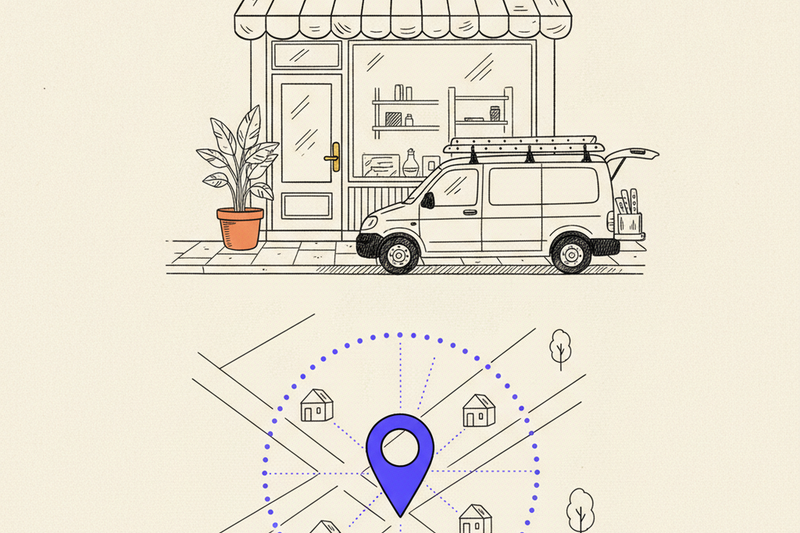
Picture a small auto shop on a side street. Customers walk in for brake jobs. A van out back also rolls to office parks for fleet service. One business, two ways to buy. That's a hybrid Google Business Profile, and a lot of these get set up wrong.
This article is specifically for businesses with both a real storefront customers can visit AND a service area where you travel to customers. Not service-area-only. Not storefront-only. Both. If that's not you, skip to the bottom for which setup actually fits.
Get the hybrid setup wrong and you bleed calls quietly. Hide the address when you shouldn't, show one when you shouldn't, blur the service area, or leave the categories vague — any of those will quietly cost you Map Pack visibility for months before you notice.
Key takeaways
- Hybrid GBP is for businesses with BOTH a real storefront AND a service area. If customers never visit your address, hide it. If you never travel, skip the service area.
- Your address has to be a real, staffed place during stated hours. A mailbox or unstaffed unit doesn't count and can get your profile suspended.
- Service areas should match where you actually work, not every suburb within 90 minutes. Wider isn't better.
- Setup is the first lap, not the finish line. Profile hygiene needs weekly attention or rankings drift.
- If you're a home office service business, hide the address. Don't try to fake a storefront for ranking.
What "hybrid" actually means (and what it doesn't)
A hybrid Google Business Profile is for a business with two real modes of service: customers can come to you, and you also go to them. Examples that fit cleanly:
- An auto repair shop where most jobs are at the shop, but you also do mobile fleet service.
- A veterinary clinic where most appointments are in-office, but you also do farm calls or in-home euthanasia.
- A flooring showroom where customers browse samples in person, and your installers travel to their homes.
- An appliance repair shop with a walk-in counter and a fleet of trucks for at-home service calls.
What hybrid is NOT: a contractor's home office. A pressure washer's truck. A lawn care company with a storage yard. Those are service-area-only businesses and showing a public address can get the profile suspended.
Per Google's own guidelines for hybrid businesses, you may show your address only if customers can actually visit during your stated business hours. Adding service areas on top of that is allowed when you also travel to customers. Both pieces have to be true.
The whole "should I show my address?" question gets simpler with one test: can a customer walk in tomorrow at 10am, find a person, and get served? If yes, show the address. If no, hide it.
Quick decision table
- Storefront only (walk-in optometry, dental office, retail): Show address. Skip service area.
- Service-area only (lawn care, mobile dog grooming, pressure washing): Hide address. Set service area.
- Hybrid (auto shop with mobile fleet, clinic with house calls, showroom with in-home install): Show address AND set service area.
The word that trips people up is "real." A mailbox isn't a storefront. A co-working desk nobody staffs isn't a storefront. A house customers never visit isn't a storefront. An address isn't a ranking hack. It's a trust signal, and Google checks.
How to set up a hybrid profile so Google sees one clear business
Once you've confirmed you're actually hybrid, the setup should be clean, complete, and boring in the best way. Google wants one business, one identity, one story.
Start with the basics. Your business name matches the real-world sign on the door — not a stuffed list of city names and services. Your address is a place customers can visit. Your phone, website, and hours match your site and your other listings exactly.
Then work the profile in this order:
- Pick your best primary category (the one that matches your main revenue), then add 3-5 honest secondary categories.
- Show the public address. Confirm it's marked as a location customers can visit.
- Add service areas based on where you actually work. Cities or ZIPs only — not regions. Keep it tight; 3-7 service areas is plenty for most accounts.
- Fill in services, attributes, opening date, booking link, and business description. Don't leave anything blank.
- Add a website link with UTM tags so calls, forms, and direction requests are trackable.
- Upload real photos — storefront exterior, interior, your team, your vehicles, finished work. Skip stock photos. They look like stock photos because they are stock photos.
- Seed a few useful Q&As (Do you do mobile service? What's your service radius? Do you charge a trip fee?) and set holiday hours before they matter.
Category choice matters more than people think. A hybrid auto shop that picks "Car repair and maintenance service" as primary will rank differently than one that picks "Mechanic." Test both if you can. The wrong primary can quietly tank relevance before the profile ever gets a fair shot.
For a fast cleanup pass on the rest of the profile, run our Google Business Profile optimization checklist — it catches the plain stuff that quietly costs calls.
Setup isn't the finish line. It's the first lap.
The weekly work most hybrid businesses skip after setup
A clean profile can still stall if nothing happens after launch. This is where most owners get bad advice. They tweak the setup once, then go back to running the business and hope Google stays impressed. It won't.
How often should you update a hybrid GBP? The short answer is weekly. Check core details every week. Add fresh photos every week or two. Reply to every review within 48 hours. Update hours before every holiday. Post when you actually have something worth showing, not because a calendar said so.
Photos matter more for hybrid profiles than storefront-only ones, because you're telling two stories. Show the storefront. Show the vans. Show finished mobile jobs. Show your team in both contexts. A customer searching for "mobile mechanic" needs to see your truck on a driveway. A customer searching for "auto repair shop" needs to see your bay doors.
Reviews do double duty. They help ranking, and they help conversion. In one home services account, stronger profile hygiene and review flow moved Map Pack visibility from #9 to #3 in about 60 days, and calls climbed 38%. In a med spa account, review velocity doubled and average rating rose 1.1 stars in 90 days. That's not magic. That's cadence.
Most hybrid businesses also need citation cleanup early. Google cross-checks your business info across the web, and inconsistent name/address/phone data across directories quietly drags down trust. About 35 high-value manual citations in the first 60-90 days handles the heavy lifting. You don't need a forever subscription just to keep your NAP straight.
The biggest single lever after setup is the review flow. Our guide on how to get more Google reviews without begging customers walks through the cadence that actually works. For hybrid businesses, ask after both kinds of service — in-shop and on-site. Mobile-job reviews often mention the convenience angle, which is gold for ranking on "near me" searches.
Which businesses should use a hybrid setup, and which shouldn't
The rule isn't your industry label. It's customer behavior.
Good fits for hybrid:
- Auto shops with mobile fleet or pickup-and-delivery service.
- Vet clinics with farm calls or in-home services.
- Flooring, furniture, or appliance showrooms with in-home install or estimates.
- Real estate offices where agents meet at the office and also tour properties.
- Accounting or law offices with a staffed front desk and also in-home/in-office client visits.
Bad fits for hybrid (use service-area only):
- Solo contractor working out of a home office. No public-facing location, even if the address is real.
- Mobile services with a storage unit or yard. Not a storefront.
- Service businesses using a virtual office or mail forwarding service. Suspension risk.
- Any business where customers never physically visit. Hide the address. Set the service area instead.
Don't force a hybrid setup because you think showing an address will help you rank. It can do the opposite if the location doesn't meet Google's rules. Suspensions take weeks to appeal and sometimes don't get reversed.
After setup: what keeps a hybrid profile ranking
Once the profile is clean, the questions change. Now you care about "near me" rankings and city-based queries.
The answer is rarely a hidden setting. It's better relevance, stronger reviews, better photos, cleaner citations, and a website that backs up the same services in the same cities. Hybrid businesses especially need strong location and service pages, because the profile doesn't live alone. If your site has one thin "services" page covering everything, the GBP can only carry you so far.
If you've dropped out of the Map Pack recently, check the boring stuff first:
- Did your primary category change, or did a competitor sharpen theirs?
- Did your review pace slow down while a competitor's picked up?
- Did your hours, phone, or service areas drift out of sync with your website or other listings?
- Are there duplicate profiles muddying your trust signal?
- Did the website page for that service or city go thin, slow, or broken?
Those are also the common local SEO mistakes that keep showing up across accounts. Not glamorous. Still expensive.
On the Apple Maps question: claim it. Google drives more discovery, but Apple Maps still feeds iPhones, Siri, and a lot of in-car navigation. Five minutes of setup work pays back for years.
The setup should match the real business
A hybrid profile works when it matches how customers actually buy from you. Real storefront. Real service area. Real signals. That's the whole job.
Search your own business on Google right now and ask a plain question: does this profile tell the truth about how you operate, in one glance? If not, that's the work.
If you'd rather not babysit the weekly cadence, Curve runs hybrid profiles as part of the $500/month plan. Same system every week. Your phone rings more. You do nothing different.