Self-storage SEO: Fill the units nobody can find
Office hours aren't gate hours, and a reservation isn't a move-in. How storage operators get the right renters to the right facility from Google.

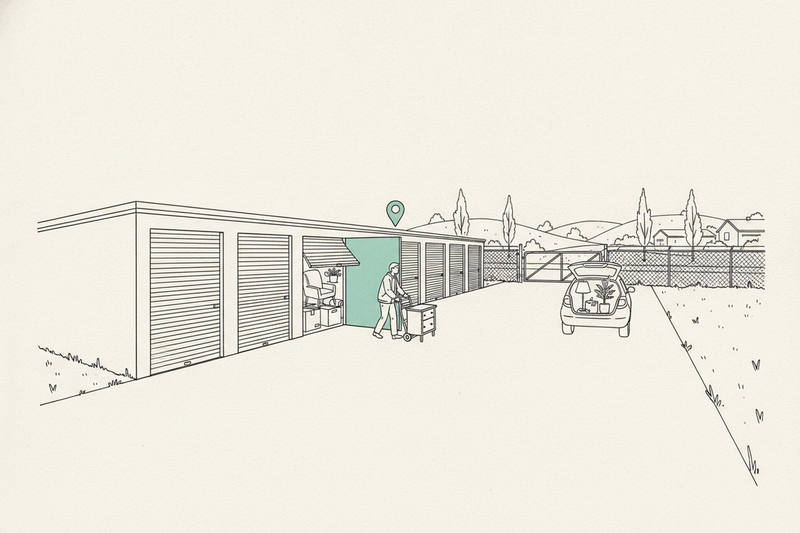
Close by. Right size. Open today. That's the whole checklist for someone searching for storage, and the facility that proves all three on Google gets the move-in.
This piece is for storage operators who need nearby renters to find, trust, and reserve a unit. If you run a moving company that also offers storage, the moving company playbook is the better fit, since your Maps fight is about booked moves, not move-ins. Running more than a couple of facilities? The multi-location guide covers how to scale profiles and pages without thinning them out.
Good self-storage SEO starts with the searches that can turn into move-ins.
Key Takeaways
- Pick searches that match the unit types you actually have open, not the broadest "storage units" term.
- Give each facility an accurate Google Business Profile with the right category, a pin on the customer entrance, and a link to its own page.
- Put prices, fees, access hours, and a working mobile rental path on the facility page.
- Ask for reviews after move-in, and read them as an operations report.
- Judge the work by move-ins per unit type, not rankings or clicks.
Choose searches that match your vacant units
"Storage units" is a broad search. "Climate-controlled storage near me" tells you a lot more about what the person needs.
Match your keyword list to what's sitting empty. Drive-up units, vehicle and RV parking, climate control, and small lockers each pull a different renter. If the 10x10s are full and the 10x30s aren't, the 10x30 searches are the ones worth chasing.
Search those terms yourself, from your own lot and from a couple of miles out. Check Google Maps and the regular results separately. The Map Pack, Google's group of three local listings, is a different contest from the organic results below it.
Big listing marketplaces and national brands will crowd the broad comparison searches. You beat them on details only a local operator knows: where the entrance is, how the gate works, what's open today, and who picks up the phone.
Google says local results come down to relevance, distance, and prominence. You can't move closer to a renter. You can make it obvious that you have what they're looking for. The Maps ranking factors breakdown shows what moves each one.
Write down three searches tied to units you need to fill. Note which facilities show up, what their pages answer, and what yours leaves out. That gap list is your first month of work.
Make your Google Business Profile useful
Get the identity and location right
Claim and verify a Google Business Profile for each facility. Use the real business name and pick "Self-storage facility" as the primary category when that's your main business.
Don't tack "cheap storage near me" onto the name unless it's genuinely part of it. Google's guidelines for representing your business call for real names and real locations, and a stuffed name can get a profile suspended.
Renters come to you, so show your address. Don't set the profile up like a plumber who travels to customers and hides it.
Then check the map pin. It should send drivers to the customer entrance, not the back fence or the side gate nobody uses.
Answer the questions renters have
Link each profile to that facility's own page. A homepage covering three locations makes someone hunt for the address they just searched.
Keep hours honest. Office hours and gate access hours are different things, and renters care about both. Show the difference on your website and anywhere the profile allows it.
Add current photos of the entrance, drive aisles, unit interiors, and loading area. Show the climate-controlled hallway if you have one. Someone deciding between a 5x10 and a 10x10 wants to see the space, not a stock shot of cardboard boxes.
Use profile updates for real changes: newly open sizes, holiday hours, a gate upgrade. A weekly promo post won't fix a wrong phone number. Run through the GBP checklist once to catch anything you've missed.
Build facility pages that help someone rent
Give every facility its own details
Each facility needs its own page with the address, phone, directions, open unit sizes, and a clear way to reserve or rent.
Show current prices and availability if your rental software can feed them. Spell out admin fees, insurance or protection-plan requirements, promo terms, and access rules before someone starts checkout. A surprise fee on the last screen is how reservations die.
Put the city and facility name in the page title and main heading. Write directions people can follow, with real roads, turns, and landmarks. "Second left after the car wash" does more than a map embed on its own.
Use your own photos here too. Renters comparing two facilities want to see yours.
Skip the copied neighborhood pages
A page for every nearby ZIP code with the same paragraph and a swapped place name does not create another facility. Mention the neighborhoods you serve on the real facility page, where the directions do the work. If you run several sites and need a page for each, the multi-location guide linked above covers how to keep them distinct.
Once the facility page is solid, answer the questions your office hears every week: which size fits a two-bedroom apartment, whether climate control is worth it, what you need to store a boat. Use your real inventory and policies, not generic advice.
Ask for reviews after move-in, not at reservation
Reviews tell renters whether a facility is clean, safe, and well run. Google also says review count and rating can help local ranking.
Timing is the storage-specific part. A request right after a reservation can't tell you much. Ask once the renter has moved in and used the gate a few times, then follow up once.
Send the same request to everyone. Don't offer a discount for reviews, and don't steer only happy renters to Google. Let renters pick their own words, too. The review playbook covers the asking process in full.
Read reviews as an operations report. Three complaints about the keypad is a gate problem, not a reply-writing problem. A polished response can't repair a broken gate.
Build local credibility without buying a pile of links
Clean up the listings renters actually use
Check Apple Maps, Bing Places, Yelp, Facebook, and any local directories for each facility. Fix old numbers, former names, duplicates, and addresses that send renters to the wrong property. The citations guide covers the rest of the cleanup.
Keep a simple record of each listing and its login. You should not have to pay someone forever to remember your password.
Earn links through real relationships
Moving companies, apartment managers, real estate agents, and college housing offices all meet people who need storage.
Give them something worth sharing: a plain unit-size guide, move-in instructions, or a short page on storing furniture during a home sale. A partner links to it because it helps their customers. That's the right reason for a link.
Skip paid link bundles. Random websites don't become local credibility because an invoice calls them "authority links." The local link building guide has more ways to earn the real kind.
Fix the mobile rental path
Test the whole process on your phone
Pull up one facility page on cellular data, not office Wi-Fi. Find an open unit, check the terms, and start a reservation.
Can you call with one tap? Does the rent button work? Can you see the total cost without pinching the screen? If you can't, neither can a renter standing in a half-packed apartment.
Follow it past the button too. If your rental software opens a different site, the facility name and the unit you picked should carry through.
Compress oversized photos and cut widgets nobody uses. Ask your web provider to check for broken links, pages Google can't index, and slow load times. Then ask which problems they fixed.
A faster page helps, but it will not rent a unit you don't have. Keep inventory and prices current.
Schema, briefly
LocalBusiness structured data hands search engines your address, phone, hours, and URL in a format they read easily. Ask your developer to add it for each facility, matching what's visible on the page. It will not guarantee higher rankings or make live availability show up in Google. The schema setup guide walks through it.
Run a 90-day plan, then count move-ins
Self-storage SEO works better as a routine than a one-time website project. Give it 90 days before you judge it. That's a review window, not a promise.
Use this order:
- Month one: fix the profile, contact details, entrance pin, facility page, and mobile rental path.
- Month two: start steady review requests after move-in, clean up the listings that matter, and fill in missing unit details.
- Month three: build two or three local partnerships and give them something useful to share. Compare inquiries, reservations, and move-ins against where you started.
Check profiles, reviews, and inventory details every week. Small fixes keep renters from acting on stale information.
Add tracking tags to your GBP website links so profile visits show up on their own in Google Analytics. Ask your rental software provider whether completed reservations can be tracked across domains.
Keep the steps straight. A website click isn't a reservation. A reservation isn't a move-in. Direction requests don't prove anything was rented.
Track it by unit type. More inquiries for vehicle parking won't fill empty climate-controlled units.
When a size needs filling fast, paid Google Ads can cover the gap. Give it its own budget, measure completed rentals, and pause the ad when those units fill.
Judge progress by qualified inquiries and move-ins, with rankings as supporting evidence. Impressions do not pay the property tax.
Frequently Asked Questions
Should my profile say open 24 hours if the gate never closes?
Not if the office closes. Set your regular hours to when someone can actually help a renter, then add gate access as a separate set under More hours, which includes an Access option. Renters who show up expecting an open office will say so in a review.
Can a new facility show up on Google Maps before it opens?
Yes. Google lets you set a future opening date on your Business Profile, up to 90 days out, so the listing can appear before day one. Use that window to load photos, unit sizes, and the facility page link, so the profile isn't empty when the first searches come in.
Do listings on storage marketplace sites hurt my rankings?
No. They don't count against your own profile. They do compete for the same clicks, and some charge a fee for each rental they send you. Make sure your name, address, and phone match there, then make your own facility page answer more than their listing can.
Should I respond to reviews about lien sales or auctions?
Yes, briefly and carefully. Acknowledge the frustration, don't discuss balances, dates, or what was in the unit, and invite the person to call the office. Future renters read those replies to judge whether you're fair, so keep it calm.
Fill the gaps before chasing more traffic
Nearby renters need clear directions, honest reviews, and an easy way to pick a facility. Fix those gaps before you pay for more visitors.
Start with your highest-vacancy unit type and walk its rental path on your phone today. It's a small first step with a clear finish.
If you'd rather hand the weekly profile, review, and listing work to someone else, that's what Curve does.