Google Review Responses Not Showing? Here's the Fix
Your reply is sitting in the dashboard and nowhere else. It's almost never a penalty. Here's the order to check things in.

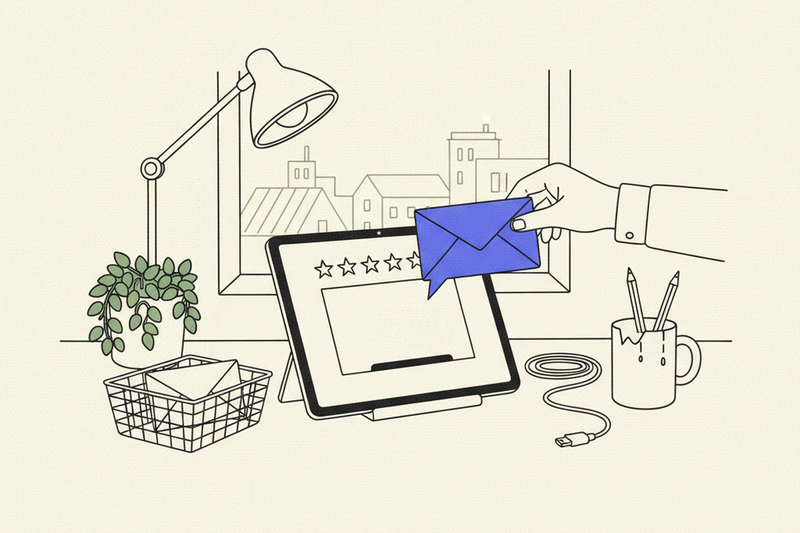
You wrote the reply. You can see it sitting in your dashboard. Your customer can't see it anywhere.
This is specifically about your owner response failing to show up publicly. It's a different problem from the customer's review vanishing, which we cover in Google reviews not showing up, and a different problem from figuring out what to actually write, which we cover in how to respond to Google reviews. If the review itself is gone, start there. If the review is live and only your reply is missing, you're in the right place.
A missing reply almost never means a penalty. It usually means the reply is still in moderation, it went out from the wrong account or location, or it's attached to a review Google pulled down. Check the public view first, then work through the rest in order.
Key Takeaways
- A missing owner response isn't a penalty. It's usually moderation, the wrong account, the wrong location, or a review that got removed.
- Check the public listing in Google Search and Google Maps while signed out, then confirm the reviewer, date, location, and reply status.
- Look at the profile itself for access problems, pending verification, suspensions, recent edits, and restrictions before you touch anything else.
- Don't repost the same reply over and over, and don't argue about a suspected fake review in public. Save evidence and use Google's official reporting and appeal tools.
- Google can remove an owner response on its own if the wording breaks content policy, even when the customer's review stays up.
Why your reply isn't showing publicly
A reply visible inside your account isn't proof it reached the public listing. Google publishes an owner reply under the customer's review after approval, per Google's own instructions for replying to reviews. It may moderate the reply first, and it makes no promise about how long that takes.
Check the public view, not just your dashboard
Search your business name and city while signed out of Google. Open the profile in both Google Search and Google Maps, then find the exact review. Check the location, the reviewer name, the date, and whether your reply is sitting under it.
Multi-location owners: confirm you replied from the location you meant to. Posting from the wrong location is the single most common reason a reply looks like it evaporated.
Check from a private window and from your phone. The dashboard and the public listing go out of sync all the time. A submitted reply shows up for you well before customers see it.
Use this quick test:
- Look at the exact review in Google Search and Google Maps.
- Check from a private browser window or a phone not signed into your work account.
- Confirm the selected location, reviewer name, date, and whether the customer's review and your reply are public.
If the reply is missing everywhere, the problem is with the profile, not the browser.
Confirm account access and profile status
Make sure you're signed in with the owner or manager account for that Google Business Profile. A different account shows you a different profile and different controls.
Then look at the location selector and the alerts panel in Google Business Profile. Pending verification, ownership disputes, suspensions, open appeals, recent edits, and profile restrictions all block actions.
Big edits to your name, address, category, or ownership can put the whole profile back under review, and a reply queued behind that review isn't going anywhere.
Don't keep changing things while that happens. One more quick fix keeps the profile under review longer. Google has enough moving parts already.
If the reply is visible in the right account and the right location but still absent from the public listing after Google has had a few days, contact support through the official Help or Contact Us flow.
Bring the profile URL, the review URL, screenshots of both the dashboard and the public listing, the account you used, and the exact response text. Strip private customer details first. Support may not restore the reply and won't give you a resolution date.
Check whether the review itself was removed
Your owner response lives underneath the customer's review. If Google removes, hides, delays, or restricts that review, your response goes with it.
Google can also pull the owner response on its own when the wording breaks content policy, even while the customer's review stays visible. Sarcasm, customer details, and anything that reads as an accusation are the usual culprits.
Reviews get delayed or removed for policy reasons, and Google sometimes limits user-created content on certain profiles or categories outright. Its guidance on missing and delayed reviews also notes that reviews can take days to reappear after profiles are merged.
Handle suspected fake reviews without making it worse
Think a review is fake? Screenshot it and copy its public review URL before you do anything else. Save the reviewer name, date, exact text, and star rating. Then flag it through the official Reviews Management Tool and pick the policy category that actually fits.
Don't accuse the reviewer in public. Don't post customer records. Don't publish private messages to prove your case. That turns one bad review into a much bigger mess, and it can get your own reply removed.
While Google evaluates the report, a calm reply can stay live. Keep it helpful. Don't use it to litigate.
If Google rejects the report, use the appeal process. Eligible appeals can cover up to 10 reviews in one submission.
Don't keep reposting the same reply
A missing reply is frustrating. Pasting the same wording in again won't speed anything up, and duplicate submissions can look like abuse.
Save the original wording somewhere you can find it. Check back after Google has had time to process, because Google doesn't publish a timeline for this.
If the review is public and your reply is still gone after the account, location, policy, and moderation checks, contact Google's business profile support. Include the profile and location details, the public review URL, screenshots, the review text, your response wording, and any moderation notices. Support won't restore a reply that broke policy.
Once it reappears, keep it out of trouble
Most removed owner responses were removed for the same handful of reasons. Naming the customer's medical situation. Quoting a private message. Arguing. Dropping a promo code. Adding a phone number that doesn't match the profile.
Keep the reply short, factual, and about the job. Verify anything you assert. Move the specifics to a phone call. Healthcare, dental, and med spa businesses should never confirm that a reviewer was a patient or reference treatment at all.
An AI assistant can draft a first pass, but copying identical wording across every review looks automated and gives Google's filters something to latch onto.
For the actual craft of writing replies, the wording, the structure, the way to handle a one-star review without making it worse, we wrote a separate guide on responding to Google reviews. This one is about getting the reply to appear at all.
Set an internal rule: reply within 24 to 48 hours. A Friday afternoon batch works fine for a one-location shop. Consistency beats a once-a-quarter scramble.
Replies support trust, not rankings
Responding won't move you from position 7 to position 3 in the Map Pack. Nobody can promise you rankings or revenue from a single reply.
What it does is give the next customer something to read. People weigh a fresh review, a star rating, and a reply that sounds like a human before they decide whether to call. Alongside profile completeness, accurate citations, and steady activity, that supports your local visibility.
For a service business, your Google Business Profile is the storefront most customers see first. For a service area business, it's the only one they'll ever see. Your review section is part of the sale whether you manage it or not.
Volume matters, and so does freshness. Our guide on how many Google reviews you need to rank locally is a decent way to compare your pace against the businesses sitting above you.
A weekly profile check should cover public replies, hours, photos, duplicate listings, and any unresolved review issues. Our Google Business Profile checklist is a practical 30-minute version.
Frequently Asked Questions
Why is my Google review response missing from the public listing?
It may still be waiting on Google's approval, or it may be held for a moderation or policy issue. It also looks missing when you're checking the wrong account, the wrong location, or a profile whose underlying review was removed.
How can I check whether my response is actually public?
Search for your business while signed out of Google and check both Google Search and Google Maps. Find the exact review and confirm the reviewer, date, selected location, and whether the response appears beneath it.
Should I repost a Google review response that is missing?
No. Reposting the same wording won't speed up processing and can look like duplicate submissions. Save the original, run the account, location, moderation, and policy checks, then contact Google Business Profile support if it's still gone.
What should I do if I believe a Google review is fake?
Capture a screenshot and copy the public review URL before reporting it. Use Google's official Reviews Management Tool, avoid accusing the reviewer or sharing private information publicly, and use the appeal process if the report is rejected.
Can Google remove my reply but keep the customer's review?
Yes. Owner responses are subject to the same content policies as reviews. A reply that names private customer details, argues with the reviewer, or reads as promotional can be removed on its own while the review stays live.
Keep the review system boring and steady
Fix the missing response first. Then check the public listing weekly, watch new reviews as they land, and save evidence the moment a reply goes missing. If the normal checks come up empty, use official Google support rather than guessing.
That's how you keep the review section on Google Maps looking like a business somebody is actually running. Curve handles that upkeep for service businesses if you'd rather not.
The public reply is a small thing. The routine behind it is what keeps your business looking open, responsive, and worth calling.