Google Business Profile Geotagging: The GPS Trick Google Throws Away
Someone's selling GPS-tagged photos as a Map Pack shortcut. Google drops the coordinates on upload, and distance is measured from your business, not your photos. Here's where the time should go instead.

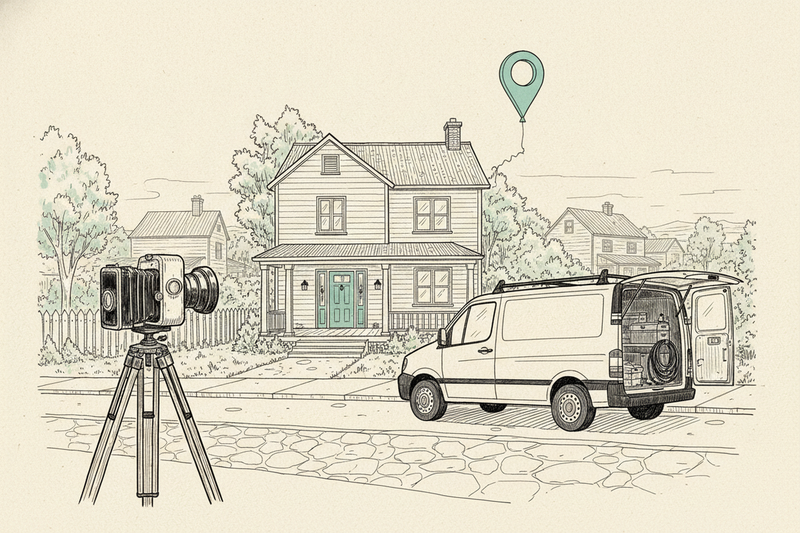
Latitude 39.76, longitude -84.19. That's the pair of numbers a geotagging tool will happily stamp into a Dayton plumber's job photos, on the promise that Google reads them and ranks him higher across town. Google does not. The coordinates don't survive the upload, and they wouldn't move him if they did.
This piece is about one claim: that GPS data inside a photo helps your Google Business Profile rank. It isn't about which photos to post. That's the job of the GBP photo checklist. If Google is refusing your upload, start with fixing photo rejections. If the upload worked but your cover image won't show, see why a cover photo isn't showing.
What happens to the GPS data when you upload
Phone cameras save a bundle of hidden details with every picture, called EXIF data. Depending on your settings, that can include when the shot was taken, the phone model, and the exact GPS coordinates. Geotagging tools write new coordinates into that same field.
When you add a photo to your profile, Google processes it and serves its own copy. That copy does not carry the original EXIF data, GPS included. Independent local SEO testers have confirmed this again and again, and it's standard practice on big platforms, which strip location data so they don't reveal where people live.
Want to see it yourself? Save one of your photos back off your profile and open its details. You won't find the coordinates. Google doesn't publish what it reads during processing before the data is dropped. But nothing it has published names photo coordinates as something it uses to rank a business.
Why coordinates couldn't move you anyway
Google's own local ranking guidance names three things: relevance, distance, and prominence. Relevance is how well your profile matches the search. Distance is how far your business is from the person searching, or from the place they typed in. Prominence is how well known you are, and Google says reviews and links feed into it.
Photo GPS tags aren't on that list. And distance is the part the geotag pitch gets wrong. Say that Dayton plumber photographs a job in Kettering and tags it with the jobsite's coordinates. His business is still where Google has it. A folder of tagged photos does not pick up the shop and move it closer to anyone. For the things that do shift your spot on the map, see what actually moves Google Maps rankings.
Tests line up with that. Independent testers who geotagged profile photos and tracked the results found no measurable lift in the Map Pack. Pair that with the stripped metadata and the verdict is simple: don't pay anyone to geotag your photos for rankings.
Geotags and schema do different jobs
The pitch has a cousin: "schema pins," or putting coordinates in your website's code. It gets sold the same way, as a pin you can drop in the Map Pack. Here's what each one actually is:
- GPS photo tag: lives inside an image file and records where the photo was taken, or wherever someone typed in coordinates.
- LocalBusiness schema: lives in your website's code and describes your business to Google, including its address and coordinates when that's appropriate.
Schema is real, and Google documents it in its LocalBusiness structured data guide. It helps Google understand your website. It does not promise a better Maps position, and it's no place to publish a home address you've kept hidden as a service area business. If you want it set up properly, here's the 30-minute local schema setup.
The real risk is the original file
Geotagging does nothing for your rank. The GPS data your phone already saves can still cause trouble, though. A job photo taken in a customer's driveway carries that driveway's coordinates. Google drops them from your profile copy. Text the same file to a subcontractor, post it somewhere that keeps metadata, or add it to your website, and the address can travel with it.
A few habits cover it. Get the customer's OK before you post work from their home. Crop out house numbers, license plates, and faces. And if your crew doesn't need location data in their photos, switch it off in the camera settings on their work phones.
What to do with the photos instead
Real, clear photos of your work do help. They help the person deciding whether to call you. What to shoot and how to pick the keepers is covered in the photo checklist linked above, and how often to add new ones is in how often to update your profile. No storefront? Local SEO for service area businesses explains how to show up in the towns you work without faking an address.
Where the geotagging money should go
Start with the profile itself: primary category, services, hours, phone number, and service area. Fix anything wrong before you buy a single tool. Google's ranking guidance calls out complete, accurate information, and it's the cheapest win on the list. The 30-minute GBP tune-up walks through it.
Then get more reviews. Ask every happy customer with a direct link, and reply to what they write like a person. Google says more reviews and positive ratings can help local ranking, and they give the next customer something real to judge. Here's how to get more Google reviews without it getting awkward.
Last, make sure your business name, phone, and address match everywhere they appear: your website, the directories, and the profile. That's boring work. It's also work you can check against calls and booked jobs, which is more than a hidden coordinate will ever give you.
Key takeaways
- Google processes Business Profile photos, and the copy it shows doesn't carry your GPS data.
- Google's ranking guidance names relevance, distance, and prominence. Photo coordinates aren't on it, and they can't change where your business is.
- Independent tests found no ranking lift from geotagged profile photos.
- The original file is the real risk. Keep customers' home locations out of photos you share elsewhere.
- Spend the time on accurate profile details, reviews, and contact info that matches everywhere.
FAQ about geotagging Business Profile photos
I already paid for geotagged photos. Do I need to redo them?
No. Keep the photos. The tags didn't hurt anything, because Google drops them. Just stop paying for the tagging, and check whether those files got shared anywhere that keeps metadata.
Does geotagging help photos on my own website?
Not in any way Google has said it uses. Google's image guidance for websites focuses on things like alt text, file names, and the text around an image. A photo on a service page does its job by showing the work that page describes.
How do I turn off location tagging on my crew's phones?
On an iPhone, go to Settings, then Privacy & Security, then Location Services, then Camera, and choose Never. On Android, open the camera app's settings and turn off the location tag option. The exact name varies by phone maker.
What about photos customers add to my profile?
They go through the same upload process, so the same rule applies. Their GPS data doesn't reach the public copy or move your ranking. What matters is whether they show real work, and you can report any that break Google's content policy.
The photo matters. The hidden pin doesn't.
Whoever looks at your profile next wants to know one thing: can you do the job? Show them the work, keep your details accurate, and make it easy to call.
Skip the geotagging bill. Curve does the profile work above every week for local businesses, and none of it involves geotags.