Your GBP Address Is Wrong. Fix It Without Wrecking Your Rankings.
A wrong Google Business Profile address costs you customers and can trigger re-verification. Here's the safe process to fix it while protecting your Map Pack position.

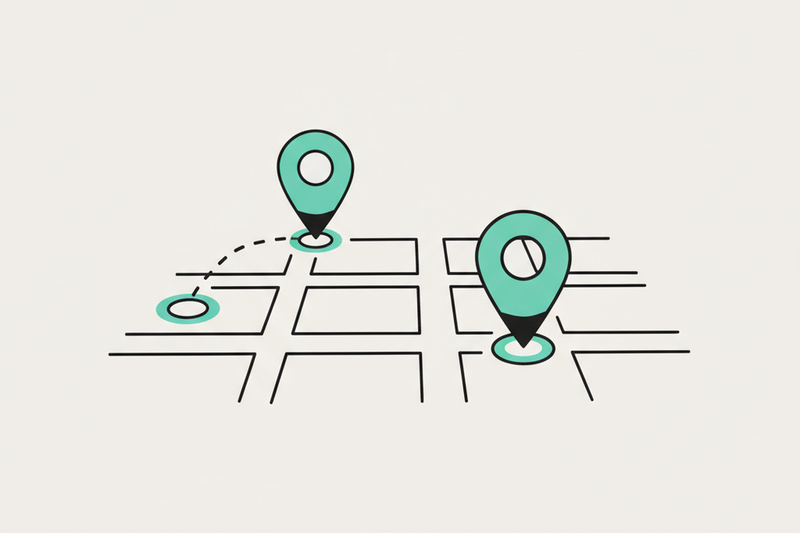
A customer texts: "Are you guys still on Pine Street?" You're not. Or maybe you never were -- Google just decided you live in an alternate universe. A wrong Business Profile address sends customers to the wrong door, breaks directions, and can trigger re-verification at the worst time. Here's a safe, field-tested process to fix it without losing Map Pack visibility.
A wrong Google Business Profile address is more than a small typo. It can send customers to the wrong door, break driving directions, and trigger re-verification at the worst time. If you handle it the wrong way, you can also end up stuck in a verification loop, or watching your Map Pack visibility wobble for weeks.
Here’s a safe, field-tested process to fix the address, keep the listing stable, and avoid the common traps.
Figure out what kind of address problem you have
Not every “wrong address” should be fixed the same way. Google treats different address edits with different levels of suspicion. Your first job is to classify the situation before you touch the profile.
Quick decision guide: typo, pin issue, or a real move?
If you’re a storefront, the goal is simple: customers should land at your front door, and Google should see the same address everywhere it looks.
If you’re a service-area business (plumber, cleaner, mobile locksmith), showing your home address can create problems fast. In many cases, the fix is not “change it,” it’s “stop displaying it,” then tighten up service areas and categories.
Do the prep that keeps Google calm
Google doesn’t like surprises. Before you edit your Google Business Profile address, set up a paper trail across the web so Google has multiple sources backing your change.
Align your NAP across the web (before you touch GBP)
Think of this as making your story consistent. If your website says one thing, Facebook says another, and a directory says a third, Google hesitates, and hesitation often turns into verification.
Do these first:
- Update your website contact page and footer with the exact address format you want in GBP (suite included).
- Update key listings you control, like Apple Business Connect, Bing Places, Facebook, and major industry directories.
- If you’ve got old junk listings floating around, clean them up. Address consistency still matters because it helps Google trust you.
This is why a one-time citation build and cleanup beats “pay forever” listings subscriptions for basics. Once your core listings are correct, you’re not renting your own business identity.
Get real-world proof ready (because verification is common)
If your edit triggers verification, you want to be ready the same day, not scrambling later.
Good proof to have on hand:
- Exterior photos showing permanent signage
- A photo of the street number on the building
- A utility bill or business license that matches the address (if requested)
- A short, clear video route to your entrance (helpful for video verification)
Also, make sure your hours and categories are accurate before you change the address. If you change five things at once, it can look messy, and messy profiles get reviewed harder.
Google Business Profile wrong address fix, step by step
Once your “supporting evidence” is in place, make the edit inside GBP. Google’s own instructions are worth following closely, because the UI shifts over time. Keep Google’s address management guide handy while you work.
The safe edit process inside your profile
- Sign in at business.google.com with the account that manages the profile.
- Open your location, then click Edit profile.
- Go to the Location section, and edit the address (street, suite, city, state, ZIP).
- Adjust the map pin if it’s not landing correctly on your entrance.
- Click Save.
A few operator-level rules that save pain:
- Match your address format to what’s on your website and core listings. Same suite formatting, same abbreviations, same ZIP.
- Don’t stuff keywords into the address line. It’s not clever, it’s risky.
- If you’re moving, avoid changing categories, name, and phone number at the same time. One big change is enough.
What happens next (and why you shouldn’t panic)
After saving, Google may require verification. Common options include postcard, video, phone, or email, depending on trust level and business type.
If you’re doing a true relocation, expect verification more often than not.
After you update the address, protect rankings and trust signals
An address fix is a stability project. You’re not chasing 50 keywords. You’re defending the decision screen people actually use, the Map Pack, for the money terms in your neighborhood.
What to watch for in the first 7 to 30 days
Right after an address change, keep an eye on:
- Profile status (any “verification required” prompts)
- Search and Maps impressions (small dips can happen, long dips need action)
- Calls, direction requests, and form fills tied to local traffic
- Duplicate listings (moves can sometimes cause them)
If you see a duplicate, don’t ignore it. Two listings with similar names and mismatched addresses can split reviews and confuse Google.
Keep cadence steady, not dramatic
The worst move after an address change is going quiet. The second worst move is panicking and changing everything daily.
Local signals reward weekly consistency. That’s why a simple operating rhythm works: posts, photos, review replies, Q and A, and small cleanup tasks that stack over time.
You don’t need “big swings.” You need clean fundamentals, done every week.
Real example: on a home services account, steady GBP hygiene and review work helped move from map-pack #9 to #3 in about 60 days, and calls increased 38%. No gimmicks, just consistency.
Reviews help you recover faster (and convert better)
Reviews are not just social proof. They influence rank and they influence clicks.
After an address update, keep your review flywheel running:
- Ask recent customers for a review (make it easy, one link).
- Reply to every review, good and bad, in a calm tone.
- Don’t coach people on exact wording, but do remind them to mention the service they received.
On a med spa, improving review velocity and response discipline helped lift the average rating by 1.1 stars in 90 days, and bookings followed. That’s what trust looks like in the real world.
If you want another reference point for the UI steps and common pitfalls, Hookle’s guide to changing a GBP address is a quick read.
Conclusion: fix the address once, then defend the Map Pack
A wrong address feels small until it costs you real customers. Treat it like a controlled change: classify the problem, prep your web footprint, make one clean edit, then keep your weekly cadence steady while Google re-trusts the profile.
If you want help getting your address, citations, reviews, and reporting under one roof, Start for $500/mo, your Local SEO OS. You’ll spend less time babysitting GBP, and more time owning your neighborhood.