Call Button Missing From Your Google Business Profile? Here's the Fix
When a customer taps your Google Business Profile on mobile and can't find a Call button, you lose the lead. Here are six common causes and the exact fixes for each.

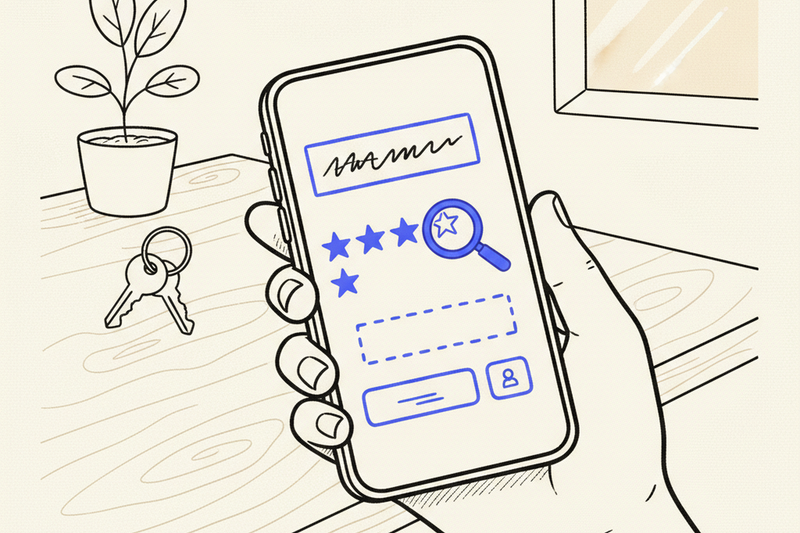
It's 2:14 PM. A customer searches for your business on their phone. Your listing loads. They tap once, scan for a Call button, find nothing. So they hit the next result down.
That's the real cost when your Google Business Profile call button goes missing on mobile. The good news: it's almost always one of six things, and none of them take longer than 10 minutes to fix.
Rankings don't pay the bills. Calls do. Start here.
Key takeaways
- Sometimes Google's mobile layout hides the direct call icon and forces customers to tap into your profile first. That's a UI change, not a broken listing.
- If the number's missing everywhere, check verification status, pending edits, category eligibility, and phone flags inside Google Business Profile.
- Always test from a device that isn't logged into your business account. Owner view shows data customers never see.
- Keep one phone number consistent across your website, directories, and social profiles. Mismatched numbers trip Google's spam filters.
First, rule out Google's layout
Sometimes the button isn't gone. Google's just moved it.
In organic Local Pack results, the direct call icon isn't always visible on the initial search screen. A customer has to tap your listing first, then sees the phone number inside the profile view. Paid placements behave differently. Local Services Ads and location-based ads still show a prominent phone icon up front. If you want to see what a clean profile actually looks like on mobile, our Google Business Profile optimization checklist walks through it.
That extra tap costs you calls. A home services client we work with climbed from position nine to position three in the Local Pack over 60 days. Rankings and impressions went up. Call volume rose 38 percent. But those gains only land if customers can reach you fast.
Before you assume your ranking slipped, check the actual behavior. Search your main service plus city on a phone. Compare what shows in Google Search, what shows in the Google Maps app, and what appears only after tapping into your profile.
Check the six profile fields that control calls
If the number's gone everywhere, the problem's inside your profile. Run through these in order.
- Confirm your primary phone number is saved correctly in Google Business Profile. Typos happen.
- Finish any phone verification prompt. SMS or automated call, whatever Google asks for.
- Check your verification status. A suspended or partially verified listing hides the call button entirely.
- Look for pending edits. Google delays contact-info updates while they review them.
- Check your primary business category. Some categories don't get a call button by default. Switch to a service-based primary category if yours doesn't qualify.
- Confirm your country code. Weird international formatting sometimes trips the display logic.
Service-area businesses without a display address hit a specific edge case. If you hide your address (standard for plumbers, HVAC techs, mobile groomers), Google should still show your number. If it doesn't, try adding a display address, saving, then hiding it again. That refresh clears the issue in most cases.
Check whether your number's flagged as spam
Some phone numbers get flagged automatically. VoIP lines, tracking numbers with heavy swap patterns, or numbers that recently belonged to a different business can all trigger Google's filters.
If you use call tracking, keep your public number consistent. Don't swap the main line every other month. If your website header, Apple Maps, Bing, and Facebook all show different numbers, Google gets cautious. That data mismatch causes friction and doesn't help your ranking one bit.
Fix it like this: pick one canonical phone number. Use it on your site, in every directory citation, and inside your Google Business Profile. Give it two to four weeks to settle. If the button's still gone after that, contact Google Business Profile support and ask them to re-verify the number manually.
Test the listing like a customer, not the owner
Owner view is useful. Customer view is what actually counts.
Grab a phone that isn't logged into your business account. Search your brand name first. Then search your main service plus city. A listing can look fine on branded search and behave differently on generic search. Tap the profile and check what shows up.
If the sticky call bar's missing or the dialer doesn't open when you tap, that's a device or app issue, not a backend setting. Try Chrome and Safari on the same phone. Update the Google Maps app. If one phone fails and another works, the mobile device itself is the culprit.
Rule out a suspension
Suspended profiles hide almost every contact feature, including the call button. If you can't see your listing when logged out, if the dashboard shows a suspension notice, if edits aren't saving, or if reviews stop appearing on the public profile, you're likely suspended. In that case, the call button won't come back until you file a reinstatement request. That's a separate playbook, and we walk through it in our GBP suspension guide.
Don't confuse this with a ranking issue
A missing call button isn't a ranking penalty. A penalty hurts your position. A missing call path kills your conversion rate. They're separate problems that need separate fixes. If you want to understand what actually moves your local rankings, see our breakdown of Google Maps ranking factors. But fix the call path first. Rankings compound over months. A broken call button costs you leads today.
Frequently asked questions
Why does my phone number show on desktop but not on mobile?
Google's mobile layout hides the direct call icon on some Local Pack results. Customers see the number after tapping into your profile. It's a UI decision, not a bug on your end. The workaround: build reviews, photos, and posts that make people tap through.
Can a Google penalty remove my call button?
Rarely. A missing call button almost always comes from verification issues, pending edits, category mismatch, or a flagged phone number. A manual action drops rankings first. Check the profile fields before you assume it's a penalty.
Should I use a tracking number to see calls from Google?
Yes, but use call forwarding so the public number stays the same. The tracking number sits behind it. Swapping the visible number every few months creates a data mismatch across the web and can hide your contact info.
How often should I check my mobile listing?
Once a week. Also whenever you update hours, services, or phone numbers. Catching a display glitch early beats losing calls for a month before you notice.
Fix the button, then fix the whole path
When your mobile call button seems gone, don't jump to panic. Google's often just moved the shortcut inside the profile view. If it's actually missing, verification status, pending edits, category eligibility, or a flagged phone number explain almost every case.
Fix the simple stuff first. Test the customer path from a phone that isn't yours. A verified profile, one consistent phone number everywhere, and a low-friction call path still do the heavy lifting if you want to own your neighborhood.
If you want help fixing your profile, cleaning up citations, and tying calls back to local search, see how Curve's $500/month plan works.