The GBP Photo Checklist That Makes Customers Pick You First
The right Google Business Profile photos earn trust in seconds. This checklist covers sizes, what to upload, what to skip, and a one-hour plan you can finish between jobs.

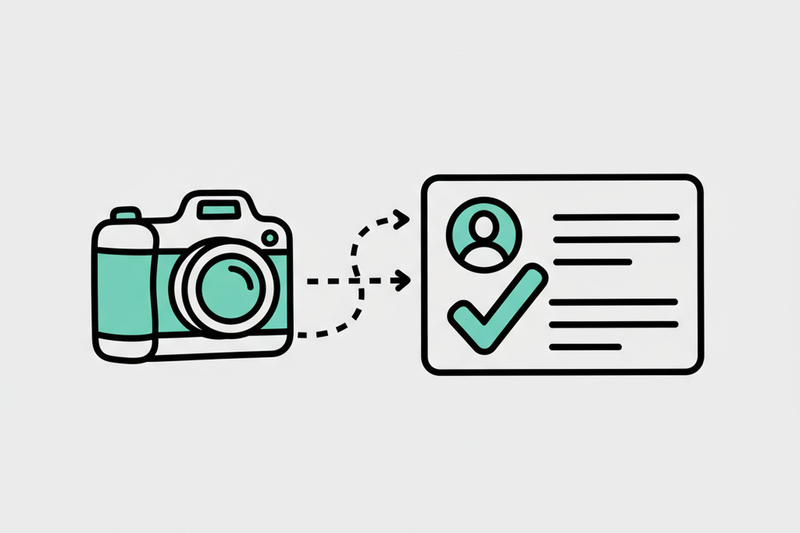
Search your own business on Google. Tap your profile. If the first photo looks like it was taken during a solar eclipse, you already know the problem. Meanwhile, the competitor across town has bright, clean photos that make them look like the obvious choice. Photo rules are the easy part. Picking photos that earn trust fast is what actually gets you the call.
In 2025, google business profile photo size rules are the easy part. The hard part is picking photos that earn trust fast, so you get the click, the call, and the “are you available today?” message. This checklist shows you exactly what to upload (and what to skip), plus a one-hour plan you can finish between jobs.
2026 Google Business Profile photo size cheat sheet (minimums that won’t get you cropped into chaos)
[Image: An AI-created infographic with a 2025 GBP photo size cheat sheet and a one-hour upload plan.]
Google’s current photo specs are pretty consistent going into 2026. You’re safe if you stick to these basics:
- File type: JPG or PNG
- File size: 10 KB to 5 MB
- Minimum resolution (general): 250 x 250 px
- Recommended resolution (general): 720 x 720 px
- Cover photo recommended: 1024 x 576 px (16:9)
Google also crops differently across Search, Maps, desktop, mobile, and “suggested photos.” If you put the subject near the edge, Google will find a way to chop it off.
For the official source, keep Google’s photo and video guidelines bookmarked. It’s the closest thing you’ll get to a rulebook.
Quick table: sizes that work well in the real world
Google crops your cover photo differently on a phone, on desktop, and inside Maps. Keep the part that matters in the middle, upload the largest clean version you have, and check it on a phone before you move on.
The photos that get clicks and calls (especially for service businesses)
A good GBP photo set is like a good front desk. It answers questions before someone asks them.
1) A clean exterior that proves you’re real
[Image: An AI-created example of the kind of bright, clear exterior photo that builds trust fast.]
If you serve customers at a location, your exterior photo is your “don’t worry, you’re in the right place” image. Even if you’re mostly mobile (HVAC, plumbing, cleaning), you still want at least one “real world” shot: your shop, your truck in front of a job site, your team unloading gear.
What works:
- Bright daytime light
- A clear view of the entrance
- Signage visible (no zooming required)
- No clutter, no random cars blocking the building
2) An interior that lowers anxiety
[Image: An AI-created interior example showing a welcoming reception area with staff and natural light.]
People don’t just choose the best service. They choose the place that feels safe and normal. A bright interior photo does that job in one second.
This matters a lot for dentists, medspas, clinics, gyms, and any business where customers might be a little tense walking in.
What works:
- Reception desk and waiting area
- Clean, open walkways
- Natural light or soft, even lighting
- A real staff member (not a stock-photo smile)
3) “At work” photos that show the outcome
These are your money photos if you’re a service business. They show skill, tools, and process. They also quietly answer: “Do you do jobs like mine?”
Good examples:
- A tech diagnosing an issue (clear face, clear hands)
- A finished install with the area cleaned up
- Before/after pairs from the same angle
A quick operator note: phone photos are fine. Most businesses don’t need a photographer, they need consistency. Cadence beats random “big photo days” once a year.
4) A team photo that makes you look hireable
People hire people. One solid team photo (or 3 to 5 individual shots) can bump conversions, even when rankings don’t move.
Keep it real:
- Clean background
- Work shirts, name tags if you have them
- No weird filters, no heavy edits
What to skip (unless you enjoy confusing buyers)
You’re not trying to win an art contest. You’re trying to get booked.
Skip these:
- Text-heavy graphics (Google crops, and nobody reads your 10-point font anyway)
- Stock photos (buyers can smell them)
- Screenshots (menus, price lists, flyers, social posts)
- Dark photos (if it looks “moody,” it looks risky)
- Random memes or seasonal jokes (your GBP is not your group chat)
Also, don’t upload 3 versions of the same logo. Your logo should not be a microscopic JPEG from 2009, but once it’s clean, move on.
The one-hour upload plan (done once, then maintained)
Google rewards weekly consistency across your profile, not occasional bursts. Photos are part of that same idea: cadence over stunts.
Here’s a one-hour plan you can knock out today:
- Pick 15 photos total: 3 exterior, 3 interior (or shop/truck), 3 team, 4 at-work, 2 before/after.
- Fix the basics: crop to clean framing, brighten slightly, keep faces centered.
- Export sizes: cover at 1024 x 576, everything else at 1200 x 900 (or 720 x 720 if you want square).
- Upload in Search/Maps: search your business name, tap Photos, then Add photos (Google mostly runs this from Search and Maps now).
- Choose cover and logo last: upload your strongest options first, then set the cover and logo so Google has context.
- Set a simple cadence: add 2 to 4 new photos per month (new jobs, new team member, seasonal exterior).
If you also post updates to GBP, remember posts have their own image behavior. This guide on Google Business Profile post image sizes in 2026 is a helpful reference.
How photos fit into the bigger GBP “trust stack”
Most owners think local SEO is about ranking for a long list of keywords. In reality, you’re trying to win the decision screen: the Map Pack profile where people compare you in 10 seconds.
Photos help you win that screen because they boost trust and clicks. Then clicks turn into calls, direction requests, and website visits you can track.
When you combine photo consistency with the basics (categories, services, Q&A, and a steady review flow), you get compounding results. We’ve seen this pattern repeatedly, like moving a home services brand from Map Pack #9 to #3 in about 60 days while calls climbed 38 percent, or helping a medspa lift its average rating by 1.1 stars in 90 days as review pace increased and bookings followed. No magic tricks, just disciplined GBP ops.
Conclusion
If you want more calls from Maps, start with photos that make you look like the safest, clearest choice. Nail the google business profile photo size basics, upload the right mix, and keep a simple monthly cadence so your profile doesn’t go stale.
If you’d rather not think about any of this again, Start for $500/mo — your Local SEO OS.