Track Form Leads in GA4, the Right Way
A form fills out and your inbox knows, but GA4 shows nothing useful. Here is how to track website form leads cleanly, so you can prove which pages actually bring business.

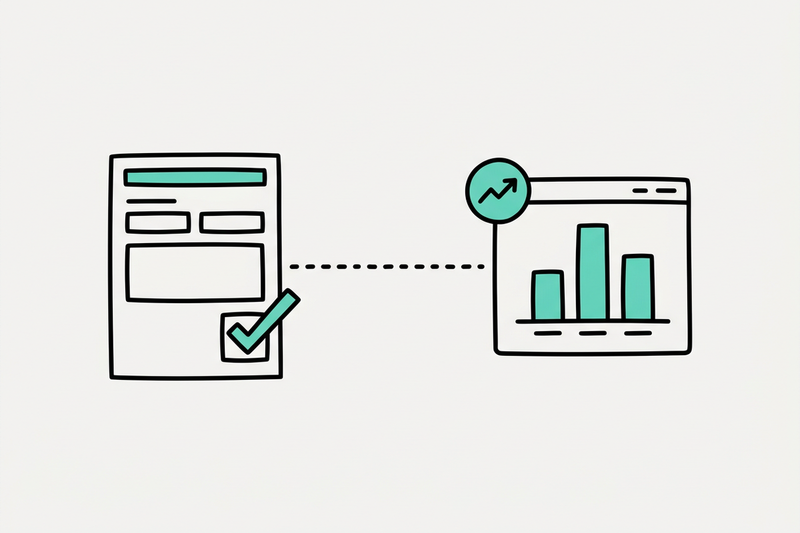
A form gets filled out at 2:13 PM. Your inbox gets the lead. GA4 shows nothing useful. That gap is how local SEO turns into guesswork.
If you can't track form leads in GA4, you can't tell which pages bring business and which ones only look busy. Rankings are nice. Calls, forms, and direction requests are what pay the bills.
This guide is about website form submissions, contact forms, and quote requests. If you're trying to measure phone calls instead, that's a different setup, and we covered it in track GBP calls in GA4. Read both and you'll have your two biggest lead types covered.
Here's how to fix form tracking without turning your site into tag spaghetti.
Why form tracking matters more than ranking screenshots
Local SEO reporting gets weird fast when you stop at impressions and rankings. A page can climb. Your map visibility can improve. None of that means much if nobody fills out your quote form.
That's why form tracking matters. It ties the work to an outcome you can explain in plain English. You can see which landing page started the visit, which source brought the person in, and which form turned that visit into a lead.
We've seen this play out on home services accounts. Better local visibility pushed calls and form fills up by 38 percent in about 60 days. The useful part wasn't the rank screenshot. It was knowing which service pages and which lead actions pulled their weight.
This is also where a lot of reporting goes sideways. People celebrate button clicks, pageviews, or time on site. None of those are leads. A contact form that failed validation isn't a lead either.
Track the success event, not the submit button.
Once you get that right, your reporting calms down. No status theater. No vague "traffic was up" updates. You can look at a month and say, "These pages produced 14 real form leads from local search." That's a number you can use.
Use the cleanest setup you can
The best tracking setup is usually the least fancy one. If your form sends people to a thank-you page after submission, use that. Here are the three common methods, easiest first:
- Thank-you page view, best for standard contact forms. It's the easiest to trust and easy to audit, because the page only loads after a real submission.
- GTM form trigger, best for forms that stay on the page. It works as long as the trigger fires only on success, not on the button click.
- Custom event or XHR trigger, best for AJAX forms, popups, and booking widgets where there's no page reload.
Thank-you page beats fancy triggers
If your form redirects to /thank-you/ or /contact/thank-you/, you're in good shape. In GA4, create an event based on page_view where the page location contains that thank-you path. Then mark that event as a key event.
That setup is reliable because it tracks a page that should only load after a real submission. It avoids false positives from people who clicked "Submit" and got an error.
A simple flow looks like this:
- Go to Admin, then Events, then Create event.
- Base it on page_view and match the thank-you URL.
- Name it something clear, like contact_form_submit or quote_request.
- Mark it as a key event.
If you want a deeper funnel, Google's own form reporting guide shows how to measure the gap between page visit, form start, and form submit. Google also notes that Explorations can take up to 24 hours to show new event data, so don't panic if the report looks empty on day one.
If the form stays on-page, use GTM
A lot of local business sites use forms that don't reload the page. They show a success message, fire an AJAX request, or open in a popup. In that case, use Google Tag Manager.
Your goal is the same: fire an event only when the form succeeds. That might mean:
- a form submission trigger
- a visible success message
- a data layer push
- a successful XHR response
What you don't want is a trigger based on the button click alone. That's how you end up counting mistakes as leads.
Keep your naming boring and clear. Separate form submits from calls, chat leads, and booking completions, and use the same names every time. Boring wins here.
Make your GA4 events worth reading
Once the event is firing, you still have to make the data readable. This is where a lot of setups fall apart.
Start with event names that tell the truth. form_submit is fine. quote_request is better if that's what the form is. booking_completed is better for an appointment form. If every lead action is named generate_lead, your reports get muddy fast.
Add a few parameters if you can, especially:
- form name or form ID
- lead type
- service
- page path
- city or location area
That lets you answer better questions later. Which service page produces the most form leads? Which city page converts? Which form gets started often but rarely finished?
The logic doesn't change much by niche. A real estate agent, an accountant, a vet, and a pressure washing company all use different forms, but the principle holds. Count real lead completions, name them clearly, and tie them back to the page and source.
Mark only the events that matter as key events. Not every click deserves a medal. A local business usually cares about contact forms, quote requests, appointment bookings, phone clicks, and maybe direction requests. That's enough to tell a clean story.
Use form data to answer the local SEO questions that matter
Good GA4 lead tracking does more than count submissions. It tells you whether your local SEO work is pulling in buyers or just browsers.
Say you're testing pages built to rank for near me searches or city-based keywords. Traffic alone won't tell you much. Form data will. Same with seasonal pages. A spring lawn care page might spike visits, but if it brings zero estimates, you know what that traffic is worth.
You can lean on the same data when you're sorting through common local SEO mistakes, or when the owner asks, "why did we drop out of the Map Pack?" A ranking dip feels scary. A dip with flat lead volume tells a very different story than a dip that tanks form fills.
It helps with operational calls too. Debating how often to update your Google Business Profile, or weighing service-area vs storefront setups? Form leads by page type can settle the argument fast.
And yes, this matters for newer search surfaces. People ask about showing up in ChatGPT for local search or ranking in AI answers. Fine, chase new visibility if it fits. But judge it the same way: did it produce leads?
That's the point. Clear measurement beats theory.
Fix the mistakes that wreck lead counts
Most broken GA4 lead setups fail for the same few reasons.
The first is tracking the submit button instead of the success state. That inflates your numbers. The second is naming every form action the same thing, so you can't tell a contact form from a quote request. The third is forgetting attribution context: if you don't capture landing page, page path, or source, you lose the thread between local search and the lead.
Watch for these problems:
- The form fires twice because both GTM and a plugin send events.
- A popup form never reloads, so the thank-you page rule never triggers.
- Internal staff submissions pollute the data.
- Test leads get counted as real leads.
- The event is created but never marked as a key event.
A quick QA pass saves a lot of bad reporting. Submit the form yourself. Check DebugView. Wait a day and confirm it shows in standard reports. Then compare GA4 counts with your CRM or email inbox. They won't match perfectly, but they should be close enough to trust.
When the numbers line up, your reports get simple. You can tell what changed, why it mattered, and what to do next. That's how local reporting should work.
Conclusion
If your GA4 setup can't tell a real form lead from a button tap, the rest of the report is decoration. Clean lead tracking gives you the one thing local SEO needs most: cause and effect.
Use a thank-you page when you can. Use GTM when you need it. Name events clearly, count only successful submissions, and tie them back to the pages that brought the lead in.
If you'd rather skip the tag debugging and get plain-English reporting instead, book a 20-minute Map Pack plan call. And don't forget the other half of the picture: tracking your GBP calls closes the loop on where your leads actually come from.