How to Remove Fake Google Reviews: The Full Playbook
Step-by-step playbook to flag, document, and escalate fake reviews — plus what to do when Google still won’t remove them no matter what you try.

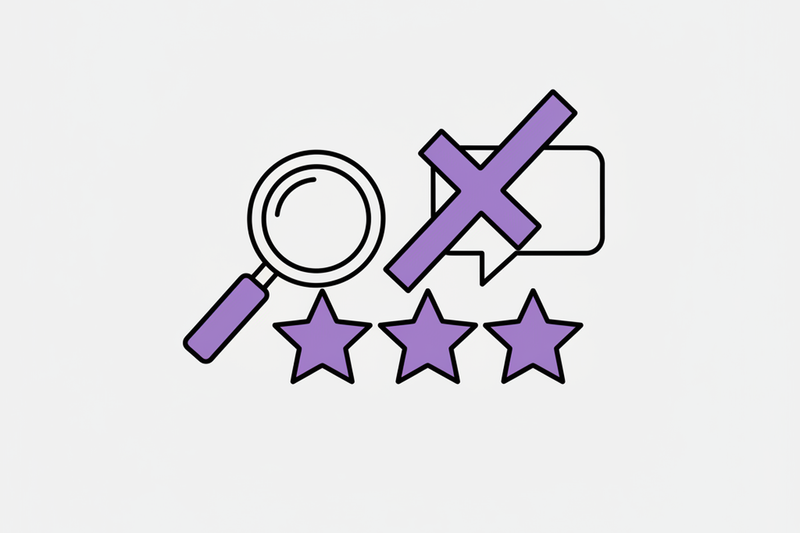
You wake up, check your phone, and there it is: a one-star Google review from someone you’ve never met, describing a job you never did. Cool.
If you’re trying to remove fake Google reviews, the hard part isn’t finding the “report” button. It’s doing the right steps in the right order, with enough proof that a real person (or Google’s systems) can confidently agree it breaks policy.
This playbook shows you how to flag, document, and escalate bad reviews fast, plus what to do when Google won’t remove them.
First, get clear on what Google will (and won’t) remove
Google doesn’t remove reviews because they’re unfair, vague, or annoying. A review usually has to violate policy to come down.
Common cases that can qualify:
- Not a real customer (fake engagement, made-up experience)
- Spam (same text copied around, promotion, nonsense content)
- Conflict of interest (ex-employee, competitor, someone paid to post)
- Hate, harassment, threats, or personal attacks
- Impersonation (someone pretending to be another person or company)
What usually won’t get removed:
- A real customer who’s mad
- A bad rating with no details
- A “they were rude” review that you disagree with
If you want the official baseline, start with Google’s own documentation on reporting inappropriate reviews. As of early 2026, Google is also warning that review-related appeals can take longer than usual, so your process matters even more.
The 10-minute triage that saves you days
Before you report anything, do a quick check. You’re looking for two things: policy fit and proof.
Triage checklist:
1) Confirm it’s on your Google Business Profile (GBP)
Make sure you’re looking at the review inside the profile you manage, not a scraped copy on a third-party site.
2) Search your records
Look up the reviewer name, date, service area, phone number, and email (if you have it). If you can’t match them to any lead or invoice, that’s useful.
3) Scan for obvious policy issues
Does it include slurs, threats, doxxing, or claims that don’t even match what you sell?
4) Check if it’s part of a pattern
If you got three one-star reviews in 10 minutes from accounts with no history, treat it as a possible spam wave. Document it.
5) Decide your goal
Your goal is either removal (policy violation) or containment (a calm public response plus more real reviews to dilute the damage).
That last one matters. Reviews aren’t “just social proof.” They affect click-through, calls, and trust. Even when removal doesn’t happen, you still need to control the story customers see.
We wrote a whole post on our GBP optimization checklist that goes deeper.
How to flag a fake Google review the right way
Flagging is easy. Flagging well is the difference between a quick removal and a dead end.
Step 1: Flag the review inside GBP
Go to your GBP, open the Reviews section, find the review, and use the “report” or “flag” option. Choose the closest policy reason (spam, off-topic, conflict of interest, hate speech, etc.).
Keep it simple. Don’t write an essay in the box if you’re given one. Clear, factual, and policy-based wins.
Step 2: Track what you reported, and when
You need a clean timeline. Create a simple doc or spreadsheet with:
- Review URL (or screenshot if you can’t grab the URL)
- Reviewer name
- Date posted
- Reason you selected
- Evidence you have (invoice search, CRM search, call logs)
- Date you reported it
If you manage multiple locations, Google also has guidance on managing reviews across Business Profiles. It’s useful if you’re juggling several GBPs and need a repeatable workflow.
Step 3: Wait, but don’t spam the system
As tempting as it is, don’t submit duplicate reports every day. Google has said processing times can be extended and duplicate appeals can slow things down.
Give it a reasonable window. In practice, you might see movement in a few days, or it can drag out longer. There are no guarantees here.
Build a “proof packet” that support can understand in 30 seconds
Most business owners lose here because they try to argue feelings. Google doesn’t moderate based on vibes.
Your proof packet should be short and boring, in a good way:
Screenshots:
Screenshot the review, the reviewer profile (if visible), and any related pattern (multiple reviews in a short burst).
Your customer record check:
A screenshot that shows “no match found” in your CRM or invoicing tool for that name (hide private customer info).
Reality check statement:
One or two sentences, like: “We reviewed our last 90 days of jobs and leads and have no record of this person. The review describes a service we don’t provide.”
If the review includes threats, hate, or personal data, note that clearly. Google’s policy enforcement can also trigger account-level consequences for bad actors, and Google documents the idea of restrictions tied to violations in Business Profile policy violation restrictions.
What to write as your public reply (while you wait)
A fake review can sit there for weeks. During that time, your reply is doing real work.
Your response has three goals:
- Show you’re calm and professional
- Signal you take concerns seriously
- Avoid admitting fault for something that didn’t happen
Here’s a solid structure:
1) Acknowledge
“Sorry to hear you feel that way.”
2) State you can’t find a record
“We can’t find your name in our customer list.”
3) Offer a real next step
“If you contact us with the service address and date, we’ll look into it.”
4) Keep it short
No detective work in public. No accusations of fraud. No threats.
This reply won’t magically fix everything, but it reduces the “maybe this company really is shady” feeling when a prospect scans your reviews.
When Google won’t remove the review, don’t sit there taking punches
Sometimes Google leaves a review up even when it looks fake. It happens. Your job is to limit the downside and build a stronger baseline.
Option 1: One clean appeal or escalation attempt
If you have a clear policy violation and solid proof, it’s worth taking a single, organized follow-up path (not five messy ones). Keep your timeline and proof tight.
Option 2: Out-review the problem with a Review OS
This is the part most owners avoid because it feels like extra work. It doesn’t have to be.
If you install a simple “Review OS” (request flow, follow-ups, and a reply playbook), you’re not just protecting your star rating. You’re also building a steady review flywheel that helps rankings and conversion over time because your volume stays healthy and your recent reviews stay recent.
We’ve seen this play out in real accounts. For example, a med spa improved its average rating by about +1.1 stars in 90 days, increased review velocity, and bookings climbed. No hype, just consistent execution.
Option 3: Tighten the gaps that make fake reviews easier
Fake reviews hit harder when your profile looks neglected.
Do the basics weekly:
- Add fresh photos (phone-quality is fine)
- Keep hours accurate
- Post updates
- Reply to real reviews fast
That cadence matters. Local SEO rewards consistency, not occasional cleanups when you’re already bleeding.
Our the ranking factors that actually matter on Google Maps guide covers this in full.
Conclusion: Remove the fake review, then defend your profile
While you're at it, take a look at our guide on getting more Google reviews the right way.
To remove fake Google reviews, you need two things: a policy fit and clean proof. Flag the review, document it, and follow the escalation path once, with your evidence ready.
If Google doesn’t remove it, you’re not powerless. A calm public reply plus a steady Review OS makes the bad review smaller over time, and it keeps your GBP strong where it counts, the Map Pack.
If you want help setting this up with minimal time on your side, start here: Start for $500/mo: your Local SEO OS.