Google Review Timing: Ask While the Job Still Feels Real
There's a ninety-second window when a review request works. Miss it and you're another receipt in the inbox. Here's when to ask by business type.


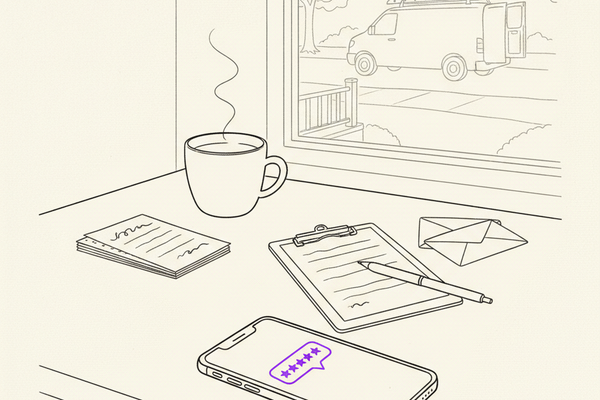
Four-eighteen on a Tuesday. New water heater's running. Homeowner's relieved. Your tech is loading the van. That's the ninety-second window when a review request actually works.
This piece is about when to ask. It's the companion to our review request templates for home service, which covers what to send. Wrong-time perfect templates still get ignored. Right-time simple messages get answered.
Key takeaways
- Ask when the customer's clearly pleased and the job feels complete. Not later.
- Match the timing to the business. Quick services: right after. Home services: 30 minutes to 24 hours. Big projects: two to seven days after the walkthrough.
- Text for practical services, email for larger projects, QR code at the counter — plus a real ask from a real person.
- One polite follow-up. Never incentives. Never pressure.
Ask at the peak, not the receipt
People don't remember service by spreadsheet. They remember two moments: the peak and the ending. Behavioral researchers call it the peak-end rule, and it's the single most useful thing to know about review timing.
For a plumber, the peak is when the leak stops. For a dentist, it's when the patient leaves feeling heard. For a remodeler, it's the walkthrough — the drawing finally standing in three dimensions. Ask right after that moment. Not the next Tuesday.
A good ask also needs a clean ending. Payment's handled. The customer knows what happens next. If there's a callback scheduled or a part on order, wait. Asking with a loose thread makes the request feel tone-deaf.
Keep it simple:
- Ask in person when the customer's clearly pleased. Tell them you'll send a text.
- Send the text within the window that fits the job.
- One polite follow-up if they don't respond. Two to four days later.
- Stop there. Nobody needs a five-part campaign.
No discounts. No gift cards. No prizes. No asking only the ones you think will give five stars. Those shortcuts violate Google's rules and make your reviews look fake.
The moment to catch: when your customer is thinking "I'm glad I called them."
Timing by business type
There's no universal number of hours. A diner's ready before the check hits the table. A homeowner with a $18,000 roof needs a few days to live with the result. Match the ask to how your customers actually experience the work.
**Restaurants, cafes, salons, fitness studios:** Right after the visit. QR code at the counter or table, followed by a text if they agree.
**Auto repair and tire shops:** At pickup, or within two hours. Text after the keys and invoice are in their hand.
**Plumbing, HVAC, electrical, pest control, junk removal:** Thirty minutes to twenty-four hours after completion. Text from the office or the field system.
**Emergency home services:** Next morning or afternoon. Text after the customer's slept and the crisis is over. Asking mid-emergency is bad timing.
**Roofing, fencing, painting, concrete, remodeling:** Two to seven days after the final walkthrough. Personal email or text from the project lead.
**Dental, chiropractic, med spa:** Same day or the next day. Text or email that stays away from treatment details.
**B2B, interior design, commercial work:** Seven to thirty days after a visible result. Personal email from the owner or account lead.
For most home services, same-day wins because relief fades fast. The homeowner is thrilled at noon when the heat's back on. Two weeks later they're thinking about soccer practice and the credit card bill — and your invoice isn't the thing on their mind.
Build the ask into the closeout
Service-area businesses run into a common problem: the crew drives away, the office invoices later, and nobody asks for the review. That's a scheduling failure, not a mystery.
Wire the ask into your job-completion flow. Most field-service systems (Jobber, Housecall Pro, ServiceTitan, whatever you use) can send an automated text when a tech marks work complete. Set the delay to match the job type. Flag the exceptions — cancellations, callbacks, disputes — so a human handles those, not the automation.
Sticky notes and "I'll remember later" die by Thursday. Automation with a human safety net doesn't.
Big projects need breathing room. Send a short check-in text first: "How's everything settling in?" If the answer's positive, send the review request in the same thread. If there's an issue, fix that first. Never send the review link on top of an unresolved problem.
Pick the channel your customer will actually answer
**Text messages** win for fast, practical jobs. Short. Easy to open in the driveway. Fits how people already communicate with a plumber or mechanic.
**Email** works for larger projects and professional services where the customer might want space to describe the work. Also gives you room to include a photo of the finished project.
**QR codes** are useful at a counter or table. They're not a replacement for a human ask. A "Review us on Google" sign blends into the wallpaper. A staff member saying "If you were happy today, we'd appreciate a quick review" gets noticed. Do both.
A text that doesn't sound robotic:
> Thanks again for choosing us today. If the work met your expectations, would you take a minute to share a Google review? It helps local families find us. [Review link]
Use a direct review link. Not one that makes people search Google Maps for your business name. Every extra step loses people.
The single follow-up, two to four days later:
> Quick follow-up on the review — no worries if it slipped your mind. We'd still appreciate your honest feedback when you have a minute.
One follow-up. That's it. You're building a review flywheel, not collecting overdue rent.
When reviews are delayed, missing, or disappear
A review the customer swore they posted may take a day or two to show publicly. Google runs new reviews through a moderation check. That delay is normal.
If a legitimate review is missing after five business days:
- Ask the customer to confirm they posted it. Don't ask them to post again.
- Check the review for links, personal info, threats, or unrelated content — anything that could trip Google's filters.
- Record the customer's name, job date, and when you first noticed the review.
- Contact Google support if it stays missing and the customer confirms they submitted it.
A burst of reviews can also trigger the moderation filter. Don't email eighty old customers on Friday morning and hope for a flood. That looks manufactured. Steady beats a spike, every time.
For the full ask-and-follow-up scripts by service type, our review request templates for home service covers exactly what to send once you've nailed the timing.
Reviews don't work alone
Fresh reviews help. They shape trust and can nudge local rank. But 200 reviews won't fix a wrong primary category, old hours, or a neglected profile.
Your Google Business Profile needs the same care as your trucks and job sites. Keep services current. Add real photos. Reply in plain English. Do a monthly pass. That maintenance is what makes review growth actually move rankings, because Google can see the whole listing is active.
For context on how many reviews your market actually needs, we broke it down in how to get more Google reviews.
Frequently asked questions
When is the best time to ask for a Google review?
When the customer is clearly satisfied and the job has a clean ending. For most service businesses, that's within twenty-four hours. Larger projects need a few days for the result to settle.
Text or email?
Text for quick, practical services — plumbing, HVAC, salon, restaurant. Email for larger projects and professional services where the customer might write more. QR code plus a verbal ask at counters and front desks.
How many follow-ups?
One. Two to four days after the first ask. After that, leave it alone.
Why did the review disappear?
Google moderates new reviews. Delays of a day or two are normal. If it's missing after five business days, check for anything in the review that could trip the filter, then contact Google support.
Can we offer a discount for a review?
No. It violates Google's rules and it makes the whole review page look bought. If you want to make sure everyone gets asked, automate the request — don't sweeten the deal.
Ask while the job still feels real
The right moment is when the customer can still feel the result. Ask fast for quick services. Give big projects time to settle. Follow up once. Then move on.
A steady flow of real feedback does more for trust than any panic campaign every six months. Wire the ask into your closeout routine and let the good work speak while it's still fresh.
Curve runs this kind of review workflow as part of ongoing local SEO work for $500 per location, month-to-month.