Domain Migration SEO for Local Service Businesses: Move Without Losing Calls
Most domain migrations lose 30-50% of organic traffic in the first 90 days. They don't have to. Here's the technical playbook for moving a local service site without dropping a single ranked page.

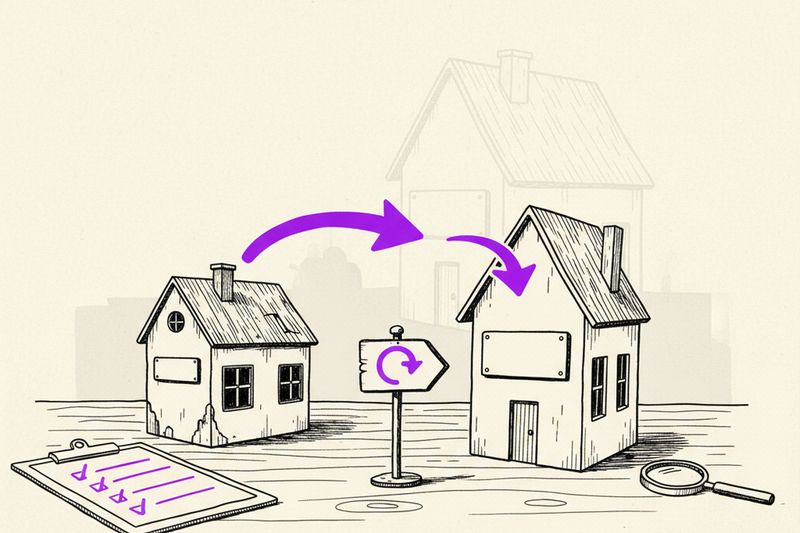
A roofing company in Cleveland switched domains last year. They had 11 ranked service pages, a steady stream of organic calls, and a five-star Google Business Profile. Three months after the migration, their organic traffic was down 47%. Calls dropped with it.
They didn't do anything wrong, exactly. They just skipped six things that any clean domain migration needs. Most local service businesses make the same skips. This is the technical checklist that prevents it.
Quick scope note. This guide is about changing your website's actual URL — moving from oldname.com to newname.com or from a subdomain to a root domain. It's not about renaming or rebranding your business in general. If you're changing your business name and need to update your Google Business Profile too, we wrote a separate playbook for that.
Companion piece: Rebranding? Here's How to Change Your GBP Without Losing Map Rankings. Read that one if you're changing the business identity. Read this one if you're moving the website.
Why Domain Migrations Tank So Often
When you move a website to a new domain, you're asking Google to do three things at once. Re-crawl every page at the new URL. Transfer the ranking signals (links, history, trust) from the old URL. And not penalize the move as if it were a redirect spam scheme.
Google's good at this if you give it clean signals. It's terrible at it if you don't. A botched migration looks like duplicate content, broken redirect chains, missing sitemaps, and pages 404'ing where they used to rank. Google's response: cool down on the whole domain.
Recovery from a sloppy migration takes 6-12 months. Recovery from a clean one takes 2-4 weeks. The work is identical in effort. The difference is doing it in the right order.
Before You Move: The Pre-Migration Audit
Map every URL on the old site
You need a complete list. Every page that exists on the old domain. Use a free crawler like Screaming Frog (the free version handles 500 URLs, fine for most local sites). Export the list to a spreadsheet.
Two columns to start: Old URL and New URL. For now, just the old URLs. The new column gets filled in next.
Pull every page that's ranking
Open Google Search Console. Pull the last 12 months of data. Export pages with impressions. These are your money pages. They get the highest priority in the migration. Losing them costs calls.
If you're seeing pages in Search Console that aren't in your crawler list, you've got orphaned pages. Add them to your mapping spreadsheet too. They need redirects.
Decide the URL structure on the new domain
Two options. Mirror the old structure 1:1 (oldname.com/services/roof-repair → newname.com/services/roof-repair). Or improve it (oldname.com/services/roof-repair → newname.com/roof-repair-cleveland).
Mirror is safer and faster. Improve is better long-term but requires more careful redirect work. If your old structure is fine, mirror. If your old structure was confusing (services buried under subfolders, location pages without city names, etc.), now's the right time to clean it up.
Document your backlinks
Free tools: Google Search Console's "Links" report. Ahrefs Webmaster Tools (free for site owners). Bing Webmaster Tools. Export the list of sites linking to you. Don't worry about chasing them down yet. The 301 redirects will pass authority automatically if they're set up right.
The Migration: Step by Step
1. Build the new site at the new domain
Don't move anything yet. Build the new site at the new URL. Keep it noindex (add the noindex meta tag site-wide) until you're ready to flip the switch. This gives you time to test without confusing Google.
2. Set up 301 redirects from every old URL to its new URL
This is the single most important step. A 301 redirect is a permanent redirect that tells Google "this page moved here permanently, pass the rankings." Without 301s, Google sees deleted pages.
Use server-side redirects (in your .htaccess if you're on Apache, in your nginx config, or via a Wordpress redirect plugin like Redirection). Don't use JavaScript redirects. Don't use meta refresh. Both break SEO.
Map every URL. Every. Single. One. Including the homepage. Don't redirect everything to the new homepage — that's called "soft 404 farming" and Google ignores it. Each old URL must redirect to its specific new equivalent.
3. Avoid redirect chains
A redirect chain is when oldname.com/page redirects to oldname.com/new-page, which redirects to newname.com/new-page. Two hops. Each hop loses a small amount of ranking signal. Three hops loses more.
Audit before you launch. Use a tool like httpstatus.io to test redirects. Each old URL should redirect once, directly, with a 301 status code, to the new URL. No intermediate stops.
4. Update your XML sitemap
Create a new sitemap at newname.com/sitemap.xml that lists every new URL. Submit it to Google Search Console for the new domain. This tells Google "here's everything that exists at this address now."
Keep the OLD sitemap live at the old domain temporarily, listing the old URLs that now 301 to the new ones. This helps Google discover the redirects faster. After 60 days, you can take the old sitemap down.
5. Verify both domains in Google Search Console
Add the new domain as a property in Search Console. Verify ownership. Then go to the old domain property and use the "Change of Address" tool. Google's official: I'm moving from old to new.
This tool speeds up the transfer of ranking signals significantly. Skip it and you're hoping Google figures it out. Use it and Google knows on day one.
6. Update internal links to point to new URLs
Even after redirects are live, every internal link inside your content should point directly at the new URL. Don't rely on the 301 to handle internal navigation. Find-and-replace your sitewide nav, footer links, and content links to use the new domain.
Launch Day Sequence
Here's the order, hour by hour.
Hour 0: Disable noindex on the new site. Verify pages are loading and indexable.
Hour 1: Activate the 301 redirects from old to new.
Hour 2: Submit the new sitemap in Search Console.
Hour 3: Use Change of Address tool on the old property.
Hour 4: Test 30 random old URLs in a browser. Confirm each one redirects to its correct new URL.
Hour 5: Update internal links to direct URLs.
Hour 6: Update your Google Business Profile website field to the new URL.
Hour 7: Update social profiles, Yelp, BBB, and other citations to the new URL.
Don't rush this. Set aside half a day. Have a checklist. Watch Search Console for crawl errors in the days after.
After the Migration: What to Monitor
Daily for the first 2 weeks
Search Console crawl errors on the new domain — fix any 404s immediately
Search Console coverage report — make sure pages are getting indexed
Google Business Profile clicks and calls — the GBP website field needs to be updated
Organic traffic in Google Analytics on the new domain
Weekly for the first 90 days
Compare ranking positions on key terms vs. pre-migration
Watch for the "transition slump" — expect a 10-20% dip in week 2-4, recovery by week 6-8
Check that all old URLs still 301 correctly (don't let the old redirects expire)
Some dip is normal. A 10-15% dip in the first month, recovering within 60-90 days, is a healthy migration. If you're seeing a 40%+ dip that's not recovering, something's broken. Audit redirects first.
Citations and Local SEO: Don't Forget These
Domain migration affects more than your website. Your citations (the listings on Yelp, BBB, Apple Maps, Bing Places, industry directories) all link to the old URL. They need updating.
The priority order
Google Business Profile — update the website field on day one
Apple Maps Business Connect — update the URL
Bing Places — update the URL
Yelp, Facebook, LinkedIn business pages
Industry-specific directories (Angi, HomeAdvisor, BBB, etc.)
Local chamber of commerce or industry association sites
The 301 redirects will catch most clicks from these sources. But updating the actual URL is better long-term. Old URLs eventually deprecate. Direct links are stronger signals.
If you haven't audited your citations recently, this is the moment to do it. Our local SEO primer walks through how citations factor into the bigger picture.
Mistakes That Tank Migrations
Redirecting everything to the homepage
The single most common mistake. "We'll just redirect every old URL to the new homepage and call it a day." Google calls that pattern soft 404s. Rankings disappear. Don't do it.
Forgetting to redirect non-www and www
Both oldname.com and www.oldname.com need redirects. Both http and https versions, too. Four combinations per URL. Many migrations miss the http://www variant.
Taking the old domain down too fast
Don't let the old domain registration lapse. Keep it for at least 1-2 years. The 301 redirects need a working domain to function. If the domain expires, redirects break, and you lose every link signal.
Not updating the robots.txt
Make sure the new domain's robots.txt allows crawling. Make sure the old domain's robots.txt isn't blocking Google from following the redirects (this is a real bug we've seen). Both robots.txt files matter.
Skipping the Google Business Profile update
Your GBP website field is one of the strongest signals connecting your business to your site. If it still points at the old URL, you're sending mixed signals. Update it on launch day.
For the full GBP cleanup checklist, see our Google Business Profile optimization checklist.
When to Migrate and When to Wait
Good reasons to migrate. You bought a stronger domain. You're rebranding fully and the old domain doesn't match. You're consolidating multiple domains into one. You're moving from a free subdomain to a custom one.
Bad reasons to migrate. You want to A/B test a new name. You're chasing slightly more SEO juice from a keyword in the domain. You just like the new one better but the old one works fine.
Every migration carries risk. Even a perfect one costs you 2-8 weeks of stable rankings while Google sorts things out. Don't do it unless the long-term benefit clearly beats the short-term cost.
The 90-Day Recovery Timeline
Here's roughly what to expect if you followed the checklist.
Days 1-7: Google crawls the new domain. Some pages get indexed quickly, others take longer. Expect a brief traffic dip.
Days 7-30: The transition slump. Rankings fluctuate. Some pages drop, some hold. Don't panic, don't change things.
Days 30-60: Stabilization. Most pages settle near their pre-migration positions. New domain authority builds.
Days 60-90: Recovery. Rankings should be back to or above pre-migration levels for most ranked pages.
If you're still down at day 90, something in the migration is broken. Re-audit your 301 redirects, your sitemap, and your Change of Address tool submission. Most failed migrations trace back to one of those three.
If a domain migration is the last thing you want to babysit, that's the right instinct. Curve handles the whole migration along with the rest of the local SEO stack so calls keep coming during the move. The phone stays warm.