Your Contact Page Is Costing You Leads (Here's the Fix)
Most service businesses treat their contact page as an afterthought. But it is one of the strongest trust signals for both Google and the person deciding whether to call you.

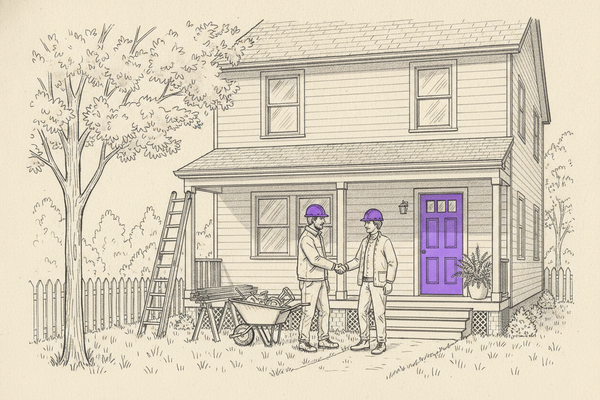
A roofing company in Dallas lost 40% of their website leads last year. Not because of rankings or ad spend — their contact page had a wrong phone number and no hours listed. Customers bounced to the competitor who made calling easy.
Your contact page is not a formality. It is one of the strongest "are you real?" signals you control — for both Google and the person deciding whether to pick up the phone.
An improved page heading, title tag, and meta description are important for clicks from the search results.
If your contact page has thin content, is outdated, or confusing on mobile, you’re leaking calls. Worse, you’re sending mixed signals about your location, service area, and trust.
Let’s fix it without turning your site into a science fair.
Make your contact page match your real business (not your imagination)
Your contact page has one job: remove doubt.
That starts with the basics: your NAP information, including business name, address, and phone number, should match your Google Business Profile and your top citations. Same formatting, same suite number, same main line. If you use “St.” in one place and “Street” in another, you won’t explode overnight, but you also won’t help yourself.
Next, make your location obvious. Add an embedded map from Google Maps if you serve customers at a physical spot. If you’re a service area business, you can still reference where you’re based and the cities you cover. Keep it to one or two lines, written like a human.
For a solid breakdown of what tends to work on contact pages for local search and conversions, seelocal business contact page best practices.
A quick way to pressure-test your page is to decide which of these you are:
After you’ve nailed the core NAP information and contact information, add the small trust builders people look for when they’re about to call: hours of operation (including weekend rules), after-hours policy, and a simple “what to expect” line (for example, “Call or request a quote, we respond within one business day”).
One more operator tip: don’t bury this contact information under a giant hero image. Your contact page isn’t a brochure, it’s the front desk.
Turn your contact page into a call and booking machine (with tracking)
A contact page that “looks nice” can still underperform. What matters is whether a stressed customer can reach you in five seconds on a phone, improving user experience especially on mobile.
So put your primary call to action phone number near the top, make it click-to-call, and label it clearly (like “Call for same-week appointments” to set expectations for response times). If you offer texting, add a text option that opens the default messaging app. If you book appointments, include a call to action button to schedule, not a tiny link in a footer.
Your contact form matters too. A generic “Message” box invites vague leads and wasted time. Ask for what your team needs to quote and route the job. Keep it short. To build trust before they submit their data, include customer testimonials near the contact form.
Here’s a tight structure for your contact form that usually improves lead quality without killing your conversion rate, supporting effective lead generation:
- Name and phone: so you can respond fast
- City or ZIP: so you can confirm the job is in range
- Service needed: a dropdown works well
- Preferred contact method: call or text
- Optional details: one open field, not a novel
Now the part most businesses skip: measurement.
Rankings feel good, but they don’t pay payroll. Track what the page produces, calls, forms, and direction requests, then tie improvements back to those outcomes. In our day-to-day work, this is the difference between “SEO reports” and plain-English revenue clarity.
If you can’t attribute calls, forms, and direction clicks, you’re guessing. Guessing gets expensive fast.
In practice, when you clean up the contact page and coordinate it with GBP, reviews, and consistent listings, you see movement where it counts. One home services account we worked on went from Map Pack #9 to #3 in about 60 days, and call volume rose 38%. That kind of lift usually comes from stacking small fixes, not one big stunt.
Add “Google understands this” signals without bloating the page
Once your page is accurate and converts, you can add a few extras that help search engines connect the dots and boost search engine rankings.
First, use schema markup that fits the job. A contact page is a great place to support ContactPage schema and LocalBusiness data, because it reinforces who you are, where you operate, and how customers reach you. If you have multiple locations, give each location its own contact page with unique NAP and unique markup. Copy-paste pages are how multi-location brands accidentally compete with themselves.
Second, show proof without turning your contact page into a wall of badges. Add one or two credibility items that reduce hesitation, like license numbers (if relevant), “insured” wording (if true), customer testimonials, or a short line about your service area. Photos help too, especially real shots of your team, trucks, office, or storefront, along with social media links. People trust what looks real.
Third, use internal links to pages that answer the next question a buyer has. A contact page is the last stop before a call, so it’s a smart place to add internal links to your service pages, your “areas we serve,” or short FAQs. If you want a low-key trust builder, link to your story and team, because local buyers like to know who’s showing up at their home. You can see an example of that kind of brand detail on theAbout Curve SEO Studio.
Finally, prioritize mobile responsiveness to keep the page fast and clean on phones. In 2026, most contact page visits come from a phone, often from Maps or a “near me” search that drives local search results. Big tap targets, no sticky popups blocking the number, and strong mobile responsiveness with quick load times are all part of the job. FAQs can also enhance mobile responsiveness by keeping users engaged without heavy elements.
One last reality check: citations still matter, but you don’t need a forever subscription for basics. We’ve consistently seen better stability when businesses build a set of high-value listings early, then maintain them. If your contact page conflicts with your listings, you’re feeding Google mixed messages.
Conclusion
Your contact page is not a throwaway. It’s a local trust signal, a conversion page, and a consistency check for Google that helps your search engine rankings.
Get the contact information right with NAP details, make calls and forms painless, and add the extra signals (schema, photos, clean internal links) that reduce doubt. Then track calls, forms, and direction requests so you know what changed and why.
If you want local SEO handled as part of a consistent weekly system, here’s your call to action:Start for $500/mo, your Local SEO OS.