Local SEO for Bakeries: The Cake Order Starts on Google Maps
Nobody orders a wedding cake from a blog post. They order from the bakery that showed up on Maps, looked open, and made it easy to ask. Here's how to be that bakery.

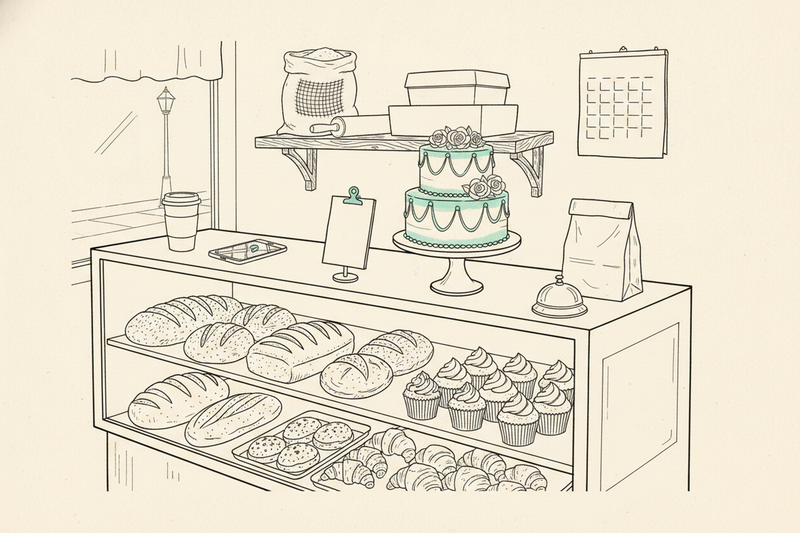
Nobody orders a wedding cake from a blog post.
They order from the bakery that showed up on Google Maps, looked open, had real photos of real cakes, and made it easy to ask. That's what local SEO for bakeries is: turning a "birthday cake near me" search into a deposit, with enough lead time to be worth making.
Bakeries and florists share a calendar. Both live on holidays and occasions, and if you want the seasonal playbook in detail, local SEO for florists covers the holiday-slot side. This guide is about the bakery-specific part: custom orders, pickup, hours, and the photos that do the selling.
Bakery local SEO starts with Maps, not blog posts
Most bakeries don't need another vague blog post about cupcakes. They need their Google Business Profile to answer immediate buyer questions before a competitor does.
Google says local rankings come down to relevance, distance, and prominence. You can't buy your way to a better spot. You can give Google and customers complete facts to work with. Google's local ranking guidance is short and worth reading once.
Pick a category and services people recognize
Choose the most accurate primary category for the work that pays the bills. If you're a bakery first, say so. Don't pick a flashy category that barely fits because it sounds broader.
Then fill out your services with real order types:
- Custom birthday cakes
- Wedding cakes
- Graduation cakes
- Cupcakes by the dozen
- Fresh bread and daily pastries
- Holiday cookie trays
- Cake tasting appointments, if you offer them
Use the words customers use when they call. "Custom cakes" is useful. "Edible art experiences" is not. Your GBP services list should make it obvious to a Maps user what you sell.
Set accurate service areas, pickup and delivery details, holiday availability, and an order link. Keep those details current when your hours or ordering process changes.
Add photos that make people hungry
A bakery has an unfair advantage in local search. Your product is visual. Use it.
Post two or three real photos every week. Show a finished wedding cake, a birthday cake at pickup, fresh bread, a pastry case, a cookie tray, or the day's seasonal special. Skip stock photos. Skip ten nearly identical shots of the same croissant.
Fresh photos don't guarantee a Map Pack spot. They make your profile more useful to nearby searchers and give them a reason to tap, call, and visit. Profile upkeep isn't a one-day cleanup. It's a steady habit, and the GBP photo checklist tells you what to shoot.
Build custom cake pages that answer buyer questions
A customer searching for custom cakes usually has a date, serving count, theme, and budget. They also have a mild fear that every bakery is already booked.
Your bakery website should meet that moment. One generic "Cakes" page won't carry the whole load.
Give major occasions their own page
Create a useful page for each high-value order type you want more of. Start with birthday cakes, wedding cakes, graduation cakes, baby showers, and corporate events.
Each page should meet the buyer where they are. Answer the questions about date, servings, flavors, lead time, pickup, and what a quote looks like.
Include real photos, flavor options, serving guidance, pickup details, your city or neighborhood, lead times, and a clean way to ask for a quote. Put the occasion and the place in the heading and the copy, name the images sensibly, and link the pages to each other. The order form should ask for the same occasion-specific details.
Don't make 40 thin city pages with swapped place names. Google can smell that stuff, and so can customers. Use local keyword research to find real occasion-plus-location searches, not to justify a page for every nearby town.
Make the order form do useful work
A good form saves your staff from six back-and-forth messages. Ask for the event date, servings, budget range, flavor, dietary needs, pickup time, and a photo upload for inspiration.
Put your minimum notice on the page. If a sculpted cake needs seven days, say seven days. If a simple buttercream cake can happen in 48 hours, say that too.
A custom-order form isn't paperwork. It's the first filter between a serious buyer and a three-day email thread about a cake needed tomorrow.
Keep the phone number visible. Some people would rather call, especially when the request involves a wedding, an allergy, or a dinosaur wearing a firefighter helmet.
Plan holiday searches before the rush starts
Holiday demand doesn't arrive when the calendar says the holiday is here. It arrives when people start planning the party, office lunch, classroom treat, or family dinner.
Work backward eight to 12 weeks from your pickup deadline. That isn't a Google rule. It's enough runway to finalize the menu and photos, then publish the seasonal landing page. Update profile posts and hours, then remind customers before the order cutoff.
Treat each holiday like a short sales season
Build one strong page per major season you serve, tied to a real menu, an order deadline, a pickup window, and product photos. Thanksgiving pies, Christmas cookie boxes, Valentine's Day desserts, Easter brunch pastries, and Mother's Day cakes all deserve their own clear home.
Show availability, cutoff dates, quantities, and pickup details. Photograph returning seasonal specials before demand peaks and publish those images with the page. Put the order deadline near the top. State pickup dates, pickup windows, and what happens after the cutoff.
Use your Google Business Profile posts and new photos to support the same offer. The page catches organic local search. Your profile catches the person already looking at Google Maps.
Get hours right everywhere
Nothing annoys a customer faster than driving to a bakery Google says is open, only to find a locked door and a handwritten note.
Set special holiday hours in your profile well before the rush. Check the website footer, contact page, Apple Maps, Facebook, and any ordering platform too. Setting holiday hours on your GBP walks through the details.
If you run delivery-only custom orders, you're closer to a service-area business than a storefront. Don't list an address where customers can't visit. Be plain about where you deliver and where pickup happens.
Fix the site basics that lose orders on mobile
A buyer standing in a grocery store aisle isn't going to wait for your gallery to load. They will tap the next bakery.
Local search happens on phones, so test every custom cake page on an actual phone. Can someone see photos, check availability, and submit a request without pinching, squinting, or hunting for the button?
Keep the path to an order short
Put "Request a custom cake" near the top of relevant pages. Repeat it after the gallery or pricing guidance. Don't force every customer to fill out a giant contact form meant for wholesale accounts, wedding consultations, and birthday orders at once.
Use simple page addresses too. /custom-birthday-cakes beats /page-id-149-new-final. Clear URLs, descriptive image names, useful alt text, and a visible order button are the whole on-page job.
Add local business details Google can read
Your developer can add LocalBusiness schema with your bakery name, address, phone number, hours, and website. It helps search engines read the facts on the page. It won't hand you a rich result or a top ranking.
Follow Google's LocalBusiness structured data documentation, then test the page with the Rich Results Test. Submit your sitemap in Search Console after major site changes. Keeping pages crawlable and business details consistent is maintenance, not a ranking guarantee.
Keep those same business details consistent in local citations. Claim the listings that matter, including Apple Maps, Bing, Yelp, and food or wedding directories that fit your shop. Correct outdated addresses, phone numbers, and hours across those listings. Wrong old details create a mess nobody needs.
Customer reviews should talk about the work you sell
A five-star review that says "Amazing!" is nice. A five-star review that says "They made our daughter's gluten-free birthday cake in two days" is better for the next customer.
Google confirms that review count and positive ratings can support local rankings. More importantly, reviews sit right beside your photos, hours, and call button. That's where the decision happens.
Ask after pickup, when the cake is still on the table and the customer is happy. Send one short text or email with the direct review link. Follow up once. Don't incentivize reviews, buy them, or hand customers a script. How to get more Google reviews covers the ask in detail.
Reply to every review in your own voice. Mention the order naturally when it fits. "We're glad the lemon cake made the shower special" sounds human. "Thank you for your valued feedback" sounds like a parking garage.
Wedding venues, event planners, photographers, schools, offices, and nearby businesses can send cake and pastry referrals. A partner may mention your bakery or link to an order page. That's a real link. Don't buy links, trade them, or promise anyone a ranking in return.
Compare local competitors' recent review activity, not their lifetime totals. How many Google reviews you need to rank locally helps you set a sane target.
Track orders, not vanity charts
A jump in local rankings feels good. It doesn't pay for flour.
Watch the numbers tied to real demand: profile calls, direction requests, form submissions, online orders, and completed custom-cake deposits. Google Analytics can compare form completions and online orders once conversion events are set up. Ask callers how they found you, then write it down. A basic spreadsheet beats guessing.
Check Google Search Console each month to see which queries bring people to your occasion pages. If "graduation cakes near me" starts showing up, improve that page with better photos, clearer lead times, useful FAQs, and a stronger order button.
Local SEO for a bakery works through small, repeated moves and honest measurement. Improve listing details, add fresher photos, earn new reviews, fix citations, and build pages that answer buyer questions. No secret trick. No 90-slide strategy deck.
Key takeaways
- Keep your Google Business Profile complete, current, and packed with real bakery photos.
- Build separate pages for custom cake occasions that bring in higher-value orders.
- Start holiday pages and ordering details eight to 12 weeks before the rush.
- Make mobile ordering painless, then track calls, direction requests, forms, and deposits.
- Build steady Google reviews around the work you want more of.
Frequently asked questions
Should I put custom cake prices on the page?
A starting price or a range, yes. It filters out the person expecting a $30 sheet cake and saves your staff the email. Exact quotes still belong in the form, because a sculpted cake with fondant figures isn't priced like a two-tier buttercream.
Can a bakery rank in nearby cities?
Distance is part of Google's local ranking system, so you won't outrank every bakery across a metro area by adding city names to pages. Build visibility where you have real customers, clear pickup options, delivery coverage, and a strong local reputation. For the bigger picture, see the Google Maps ranking factors.
Make the next cake search count
The bakery that gets the order is rarely the one with the cleverest SEO trick. It's the one that looks open, credible, nearby, and ready to take the order.
Keep the work moving every week. If you'd rather not manage it between proofing dough and answering cake questions, Curve SEO handles the profile, reviews, photos, citations, and reporting.